


Major updates to Lens Kubernetes IDE – Release 2026.3
TL;DR
- Lens Kubernetes (K8s) IDE now has its own MCP Server that can be used by any AI assistant to interact with all the Kubernetes clusters you have in Lens.
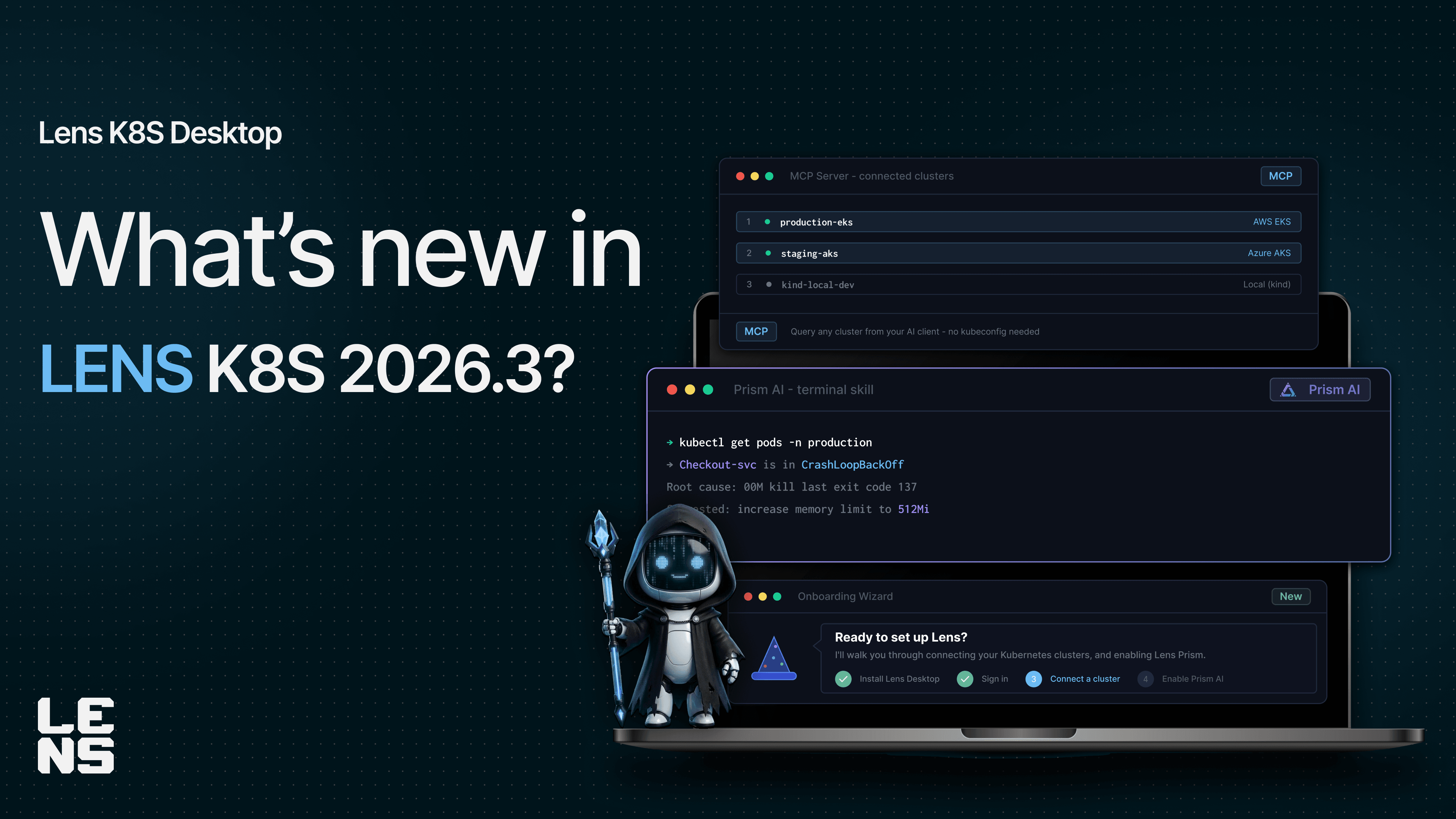
- Lens Prism got even smarter with its new terminal skill. It can now interact with your OS, so that you can easily leverage it to create and apply K8s manifests, create reports based on your existing data, push to your VCS & more.
- Lens K8s IDE offers an Onboarding Wizard to simplify Lens K8s adoption for new users
- All new Lens users will now have trial access to Lens Premium features for 1 month; Existing Lens free users will have the option to opt-into the trial soon.
AI is reshaping how we manage our Kubernetes cluster, and Lens K8s IDE is here to help. This release brings deeper AI integration across the Lens K8s IDE, with a new MCP Server available to help you connect AI assistants to your clusters, an upgraded Lens Prism that can act on your behalf and make changes, and tools to get new users productive from day one.
Lens Kubernetes IDE MCP Server
Lens MCP Server is a bridge between your AI assistants (like Claude Code, Claude Desktop, GitHub Copilot, OpenAI Codex) and Lens Kubernetes IDE, enabling you to easily manage your Kubernetes clusters from them.
Rather than working with a traditional Kubernetes MCP Server, with Lens MCP Server, you get access to all of your Kubernetes clusters you have added to your Lens account, without you needing to manually generate kubeconfigs, by leveraging the built-in Cloud Integrations (AWS and Azure, soon GCP).
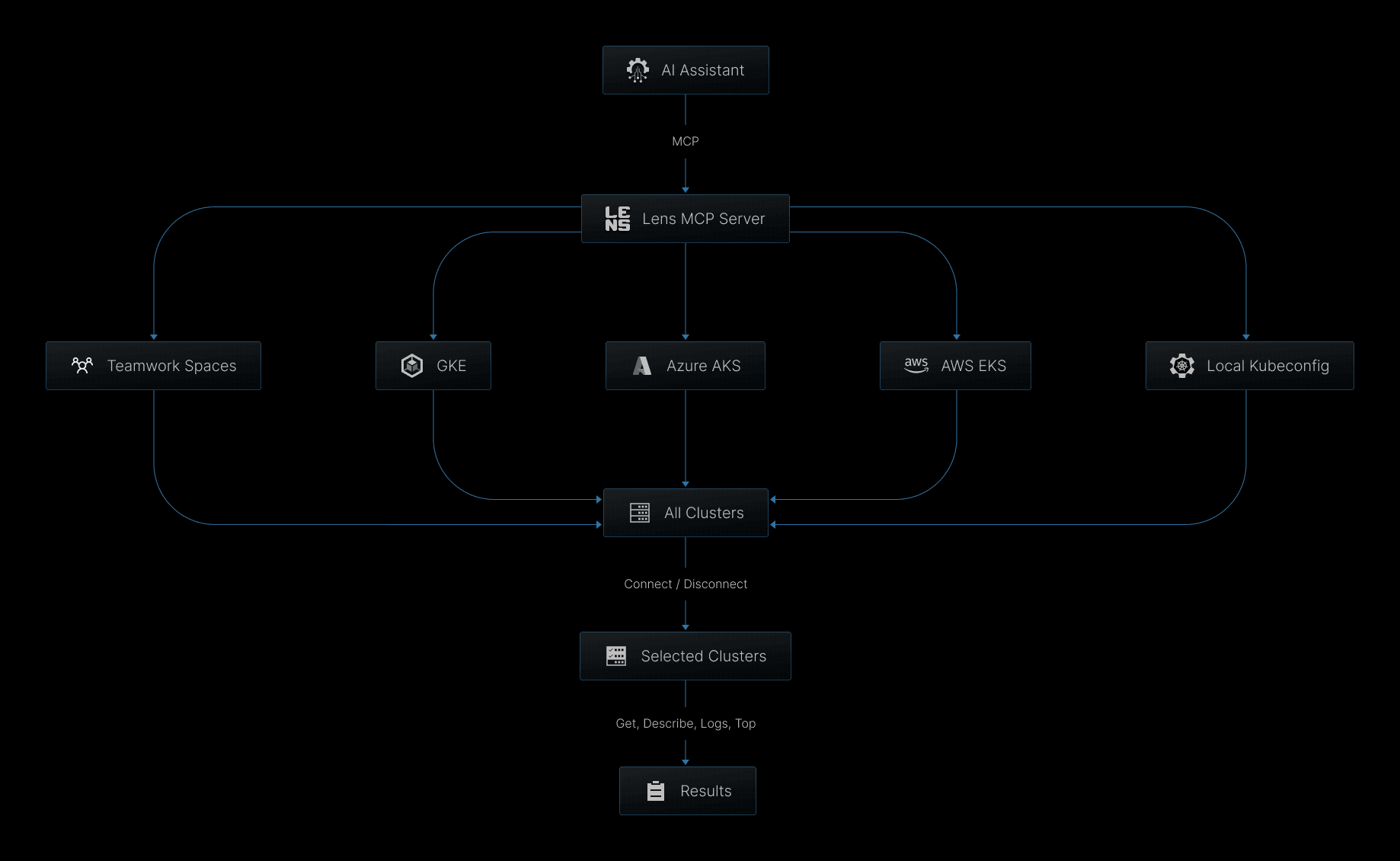
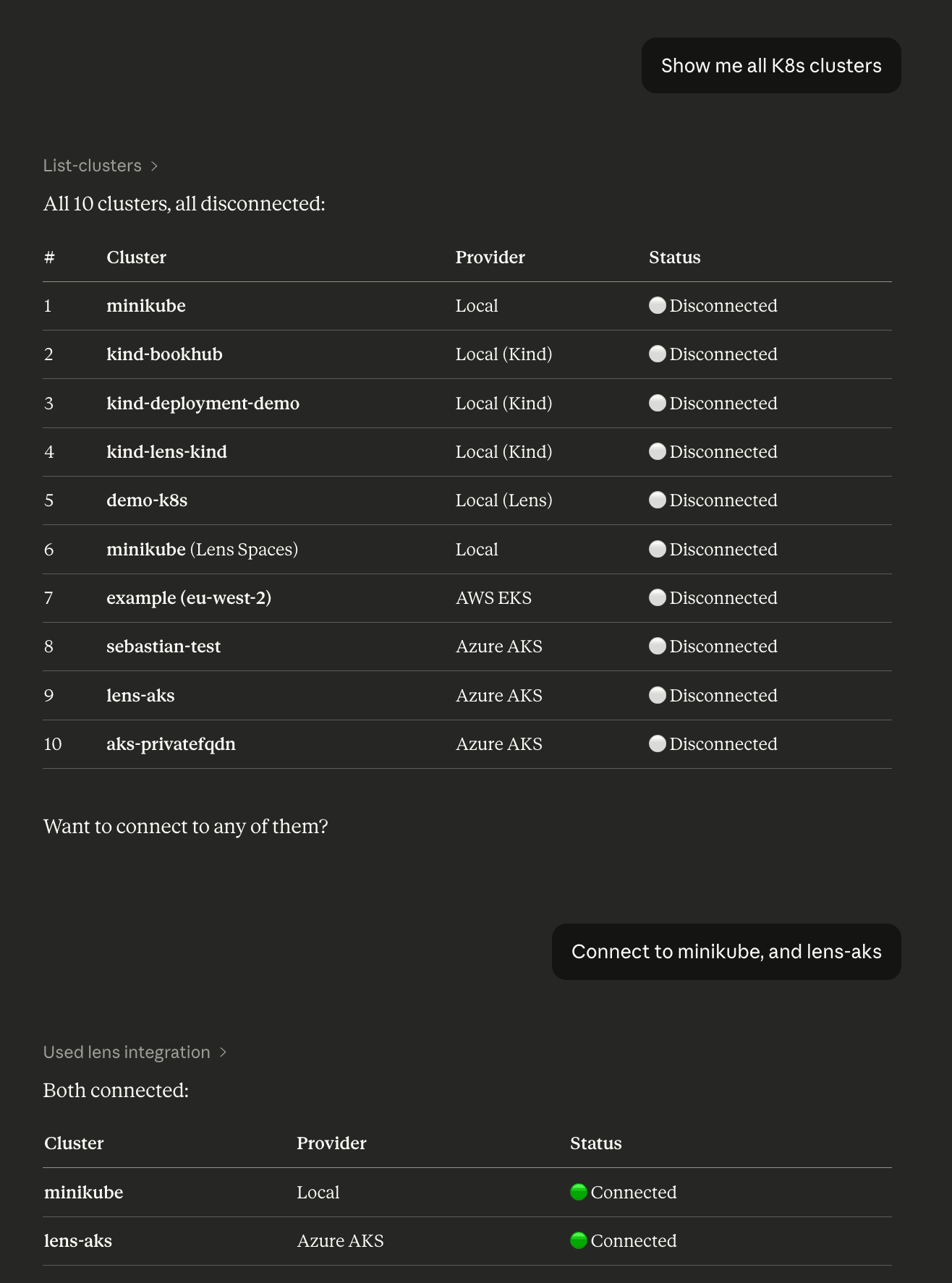
You can ask your AI assistants to filter different Kubernetes clusters by choosing which of them to connect to, making it easy to investigate and understand what is happening in a particular type of Kubernetes cluster:
Lens Prism Agent mode now comes with Terminal Skill!
Lens Prism is the context-aware built-in AI assistant in Lens Kubernetes IDE that helps you understand, at a glance, what is happening in your K8s clusters, making troubleshooting easier.
With the new terminal skill, Lens Prism now goes beyond read-only insights, as it can run shell commands directly on your local machine, using the same user account that is running the Lens application. In this way, when you identify an issue and a fix with Prism, you can also ask it to make changes to the repository in which the problem resides by creating a new branch and pushing it to your VCS.
In addition, you can easily build different types of reports by asking Prism to scan workload health or resource usage in your clusters and generate files based on its findings.
Note: The terminal skill works when you use Lens Prism in Agent mode.
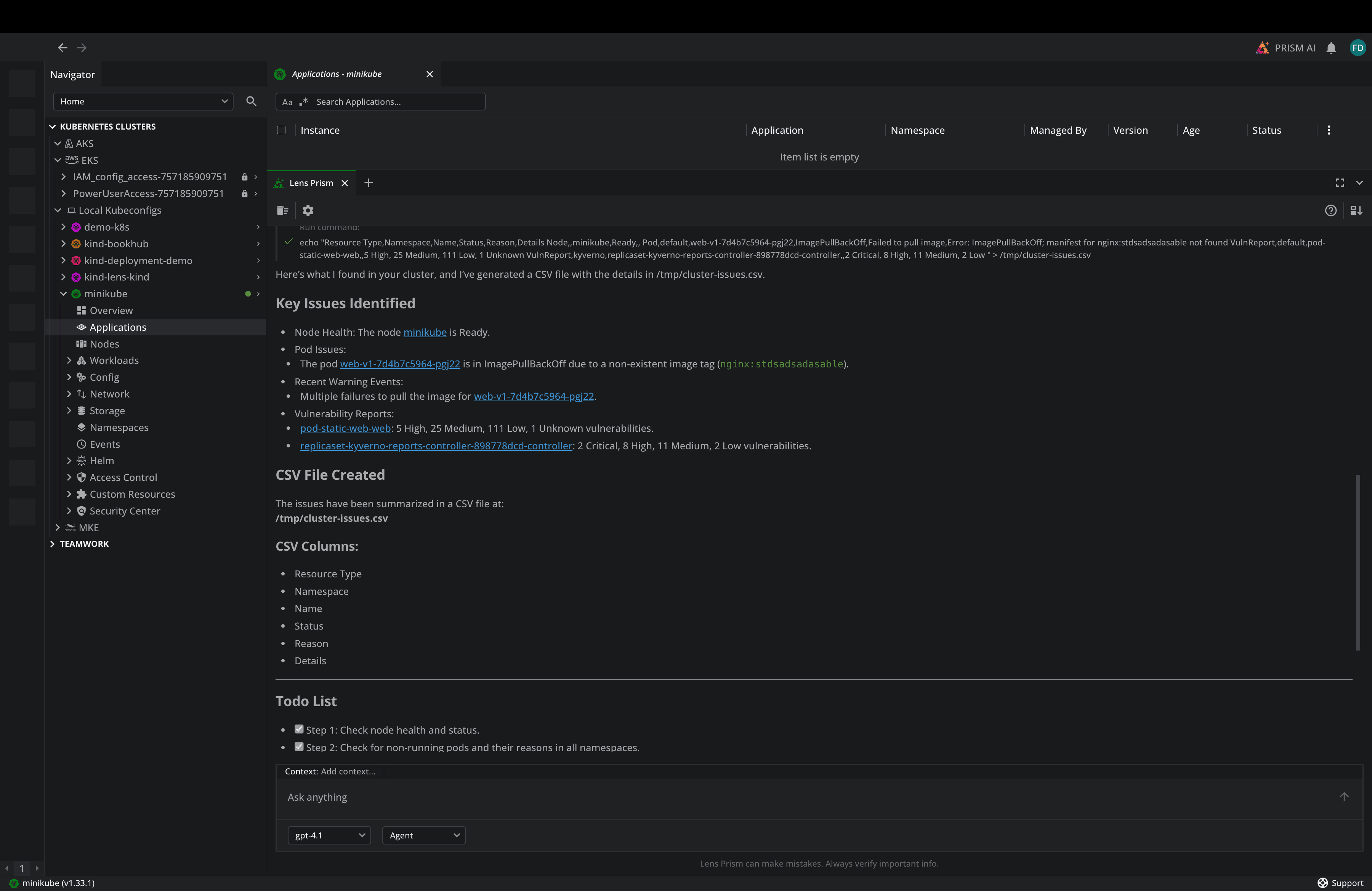
By taking advantage of the Terminal Skill, you reduce the gap between understanding a problem and resolving it, cutting mean time to resolution.
Lens Onboarding Wizard
At Lens, we want to ensure you are successful from the beginning. Even though onboarding to Lens K8s is straightforward, we wanted to make it even easier for everyone, regardless of their technical background.
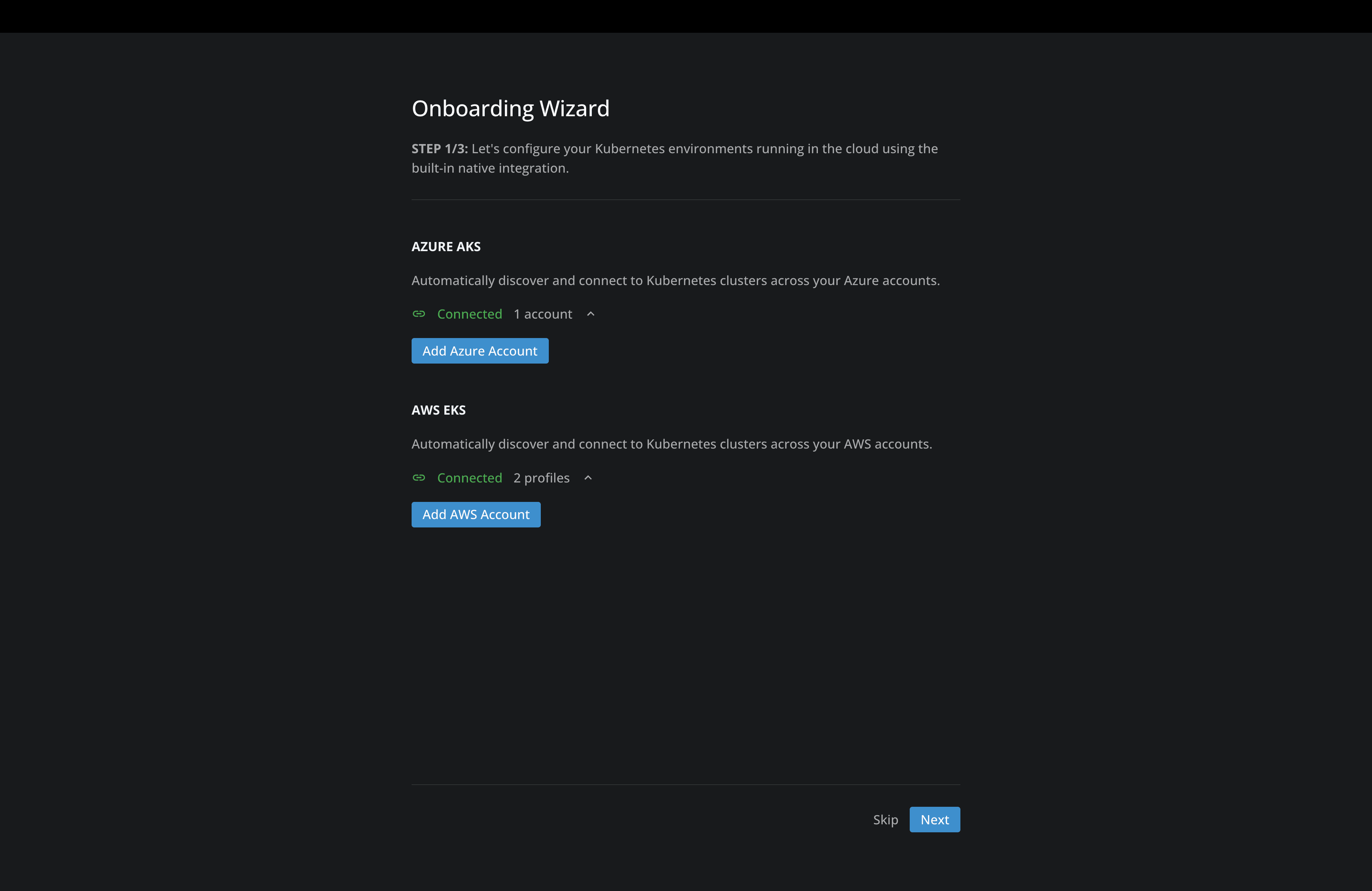
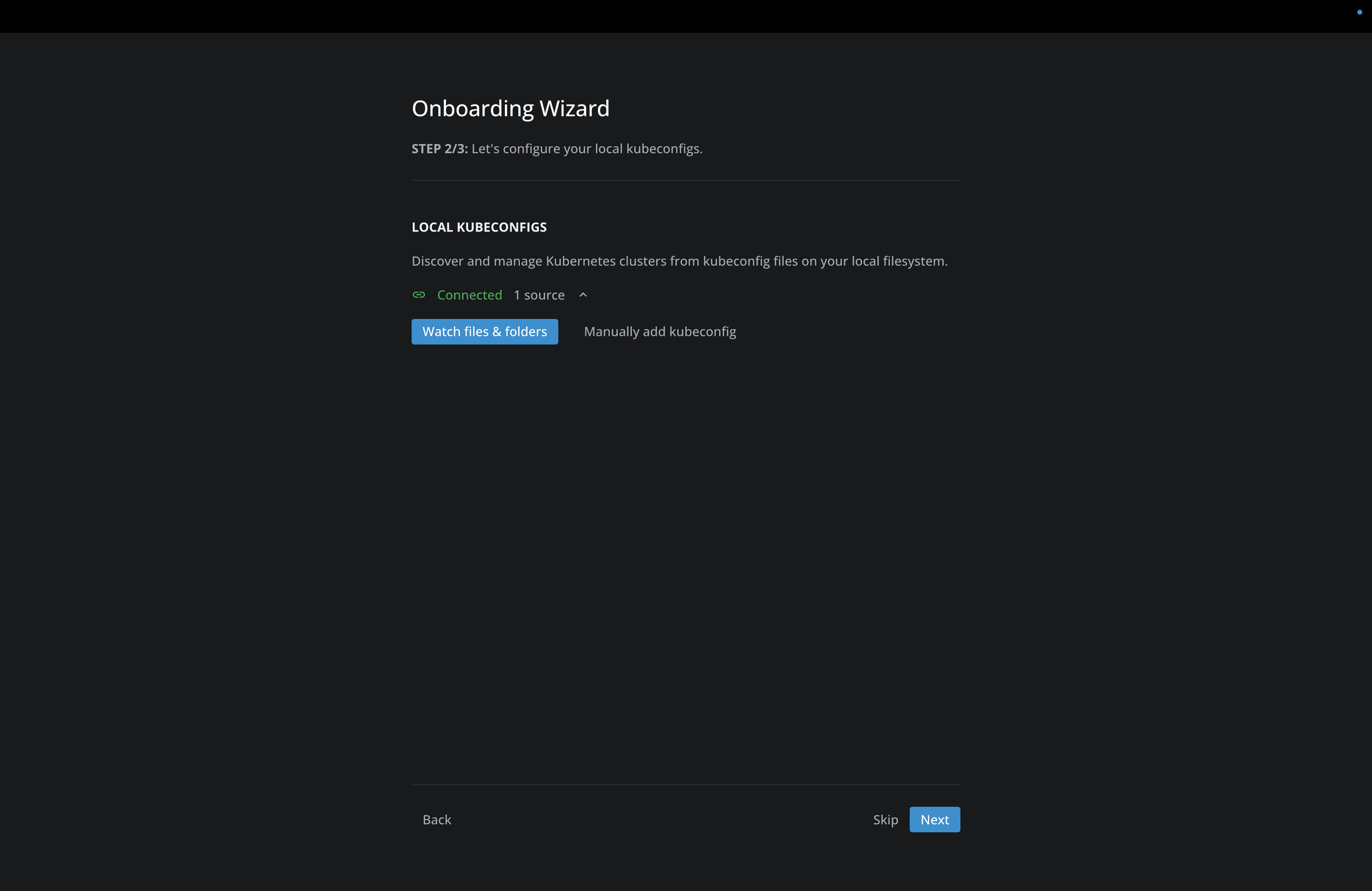
The Lens Onboarding Wizard helps you with authenticating to your cloud providers for accessing your K8s clusters based on RBAC, and also helps you with adding multiple kubeconfigs to your Lens K8s account:
In addition to that, the Onboarding Wizard can help you configure Lens Prism from the start, so you can take advantage of AI assistance:
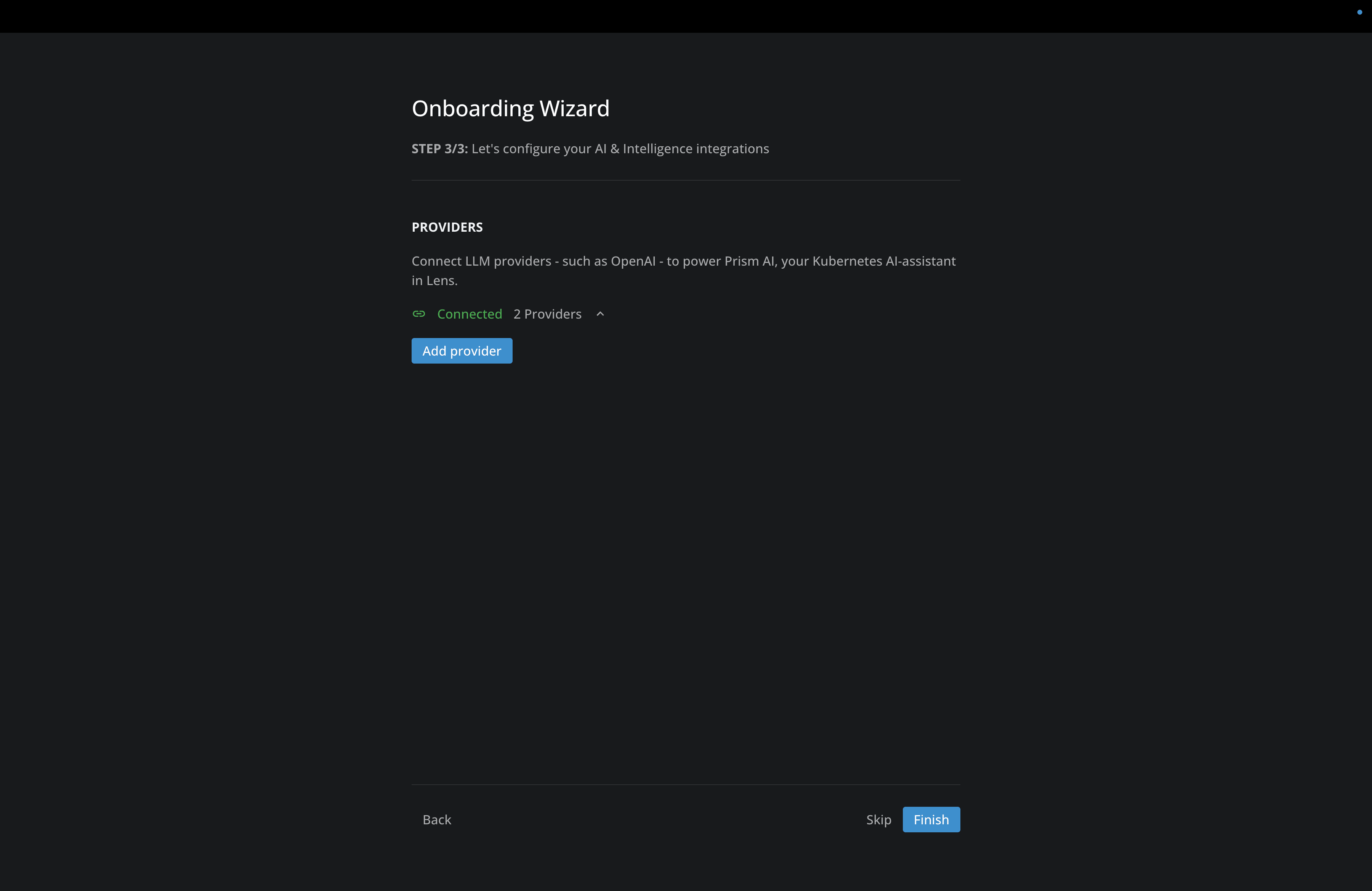
With the Lens Onboarding Wizard, we ensure new users get value from Lens quickly through a guided, step-by-step setup. In this way, new users can focus on managing their Kubernetes clusters directly, rather than spending time on configurations.
Lens Trial
All premium features from Lens are available across Plus, Pro, and Enterprise subscriptions. For new users who want to experience the full potential of Lens, we now offer a free 30 days Trial for new Personal subscriptions . You will have no financial commitment, nor will you need to introduce any payment method.. Existing free users will have the option to opt-in soon.
Check this article to learn more about what are the Lens Premium features.
Note: Read more about the release here to understand what's new.
Conclusion
At Lens, we are continually developing new features in response to market innovation and the feedback we receive from our community.
As always, to ensure a smooth transition, we’ll release the update to a small number of our users and gradually expand availability until everyone has access.
If you haven’t received the update yet but would like to try it, you can manually download the latest version from our website.
If you want to learn more about Lens Kubernetes IDE, book a demo with one of our engineers.