


Kubernetes RBAC Tutorial: Roles, ClusterRoles, and Service Accounts
Role-Based Access Control (RBAC) in Kubernetes (K8s) is the authorization layer that decides if an API request succeeds or fails. Without implementing proper RBAC, that respects the principle of least privilege (PoLP), you are handing to all your users and workloads the keys to the entire cluster. This means that a single compromised account can be used to access everything that is happening in that particular cluster.
In this article, we will walk through the core RBAC concepts, and show you how to inspect and troubleshoot permissions, so that you build a solid understanding of Roles, ClusterRoles, Bindings and even Service Accounts.
TL;DR:
- Kubernetes RBAC uses Subjects (Users, Groups, Service Accounts), Roles (Roles, ClusterRoles), and Bindings (RoleBindings, ClusterRoleBindings) to assign Roles to Subjects.
- When working with RBAC in K8s use PoLP, manage RBAC as code, avoid using the cluster-admin ClusterRole, and prefer RoleBindings instead of ClusterRoleBindings wherever possible
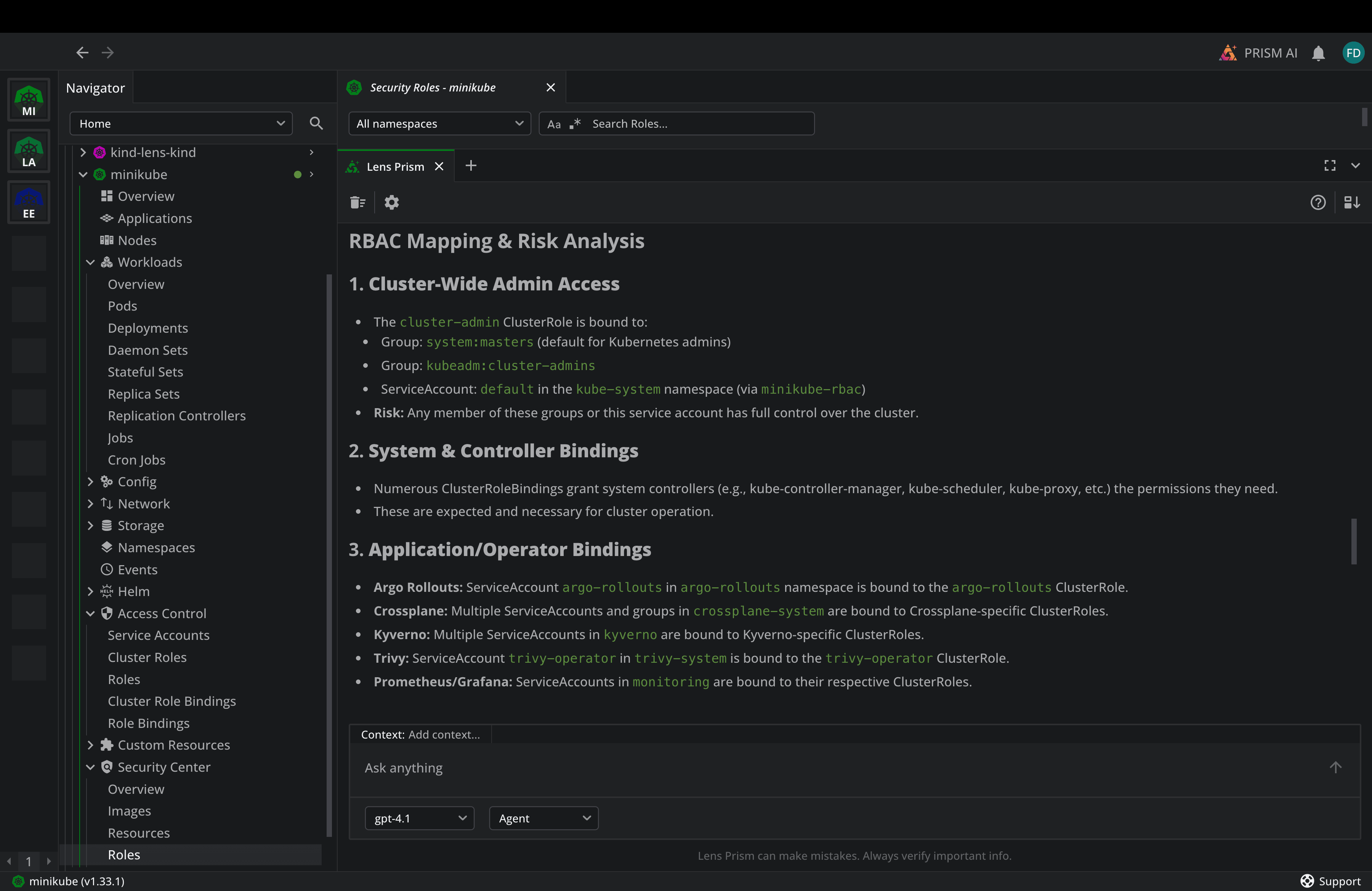
- Lens Kubernetes IDE helps you understand your RBAC resources by providing a unified view into them, helps you troubleshoot them at scale using the built-in AI assistant Lens Prism, and enables you to understand if you have any misconfigurations or vulnerabilities inside your roles.
Why RBAC matters for Kubernetes Security
Every time someone runs a request in Kubernetes, the K8s API server evaluates that particular request against RBAC rules. If there are no rules that explicitly allow that action, it will get denied.
RBAC matters in Kubernetes for three main reasons:
- It can help you reduce the blast radius: When you are following PoLP, a single compromised service account can only access the resource it was explicitly granted. If you have an overprivileged account, a small incident will transform into a cluster-wide breach.
- Improve your audit and compliance: At scale, especially when you want to achieve compliance, you need to prove who can do what inside your Kubernetes clusters.
- Get clarity while responding to incidents: If you have an outage or a security incident, your teams need to quickly determine what account caused a change, and only by using clear RBAC boundaries this can be achieved.
Key RBAC concepts in Kubernetes
Kubernetes RBAC is built with three parts:
- Subjects: Actors who can perform actions inside your clusters
- Users: These are human identities
- Groups: Collection of Users
- Service Accounts: Identities for workloads that are running inside your cluster
- Roles: Sets of permissions
- Role: This is scoped to a single Kubernetes namespace
- ClusterRole: This is cluster-wide, and applies across all namespaces or to cluster-scoped resources
- Bindings: Resources that link Subjects to Roles
- RoleBinding: Grants a Role or a ClusterRole within a namespace
- ClusterRoleBinding: Grants a ClusterRole across the entire cluster
Kubernetes RBAC works in the following way: a Subject (User, Group, ServiceAccount), is tied to a Binding (RoleBinding, ClusterRoleBinding) that refers a Role (Role, ClusterRole). Without defining a Binding, your Subjects won’t have any permissions. If you are using several bindings for a Subject, that Subject’s permissions will be the result of a union of all the granted permissions.
Let’s now explore how to create a Role and a RoleBinding.
How to create Roles and RoleBindings
For this, we will use a simple example, that gives a Subject read access to pods in a specific namespace.
Let’s create the role:
apiVersion: rbac.authorization.k8s.io/v1
kind: Role
metadata:
  namespace: demos
  name: pod-reader
rules:
- apiGroups: [""]
  resources: ["pods"]
  verbs: ["get", "watch", "list"]
The apiGroups field specifies which API group the resources belong to, and the empty string "", refers to the core API group, that contains fundamental resources like pods, services, configmaps, and others.
In the resources, you can filter what resources you want exactly this role to access, while the verbs field defines what actions you can do. Some of the common verbs are:
- get: Gives you the ability to read a single resource
- list: Lets you list all types of resources
- watch: Stream changes in real time
- create: Helps you create resources
- update: Allows you to modify resources
- patch: Gives you the ability to run patch commands
- delete: Lets you delete resources
A role doesn’t do anything without a RoleBinding, so let’s create that as well:
apiVersion: rbac.authorization.k8s.io/v1
kind: RoleBinding
metadata:
 name: read-pods
 namespace: demos
subjects:
- kind: User
  name: lens
  apiGroup: rbac.authorization.k8s.io
roleRef:
  kind: Role
  name: pod-reader
  apiGroup: rbac.authorization.k8s.io
In the role binding, you need to add subjects, and the role you want those subjects to be able to assume. In the above example, my Subject is a User called lens, while the Role I want the lens user to assume is the pod-reader Role from above.
I’ve added these configurations in the same file and now I will apply it:
kubectl apply -f role.yaml
role.rbac.authorization.k8s.io/pod-reader created
rolebinding.rbac.authorization.k8s.io/read-pods created
To check if this is working properly you can use the kubectl auth can-i command. The lens User should be able to only get, list, and watch pods in the demos namespace.
Let’s do some different checks:
kubectl auth can-i list pods \
 --namespace=demos --as=lens
yes

kubectl auth can-i list pods \
 --namespace=default --as=lens
no

kubectl auth can-i delete pods \
 --namespace=demos --as=lens
no
As you can see, the role is working properly. In the same way, you can also create ClusterRoles, and ClusterRoleBindings.
An important thing to remember is the fact that you can also use the ClusterRole + RoleBinding combination. This is very useful, because it lets you define a permission set once as a ClusterRole, and then you can grant it in specific namespaces.
Kubernetes also comes packed with several built-in ClusterRoles:
- cluster-admin: Has access to everything
- admin: Full access within a namespace when bound using a RoleBinding
- edit: Read/Write operations for most resources
- view: Read-only access to most resources
Building Service Accounts for Workloads
When you are creating a namespace, it receives a default service account automatically, but the best practice is to create a dedicated ServiceAccount for each workload, to reduce the blast radius in case of a ServiceAccount compromise.
Let’s create a new ServiceAccount that will have a RoleBinding to a Role that lets it read and list ConfigMaps, and also get a specific secret:
apiVersion: v1
kind: ServiceAccount
metadata:
 name: config-sa
 namespace: demos
automountServiceAccountToken: false
---
apiVersion: rbac.authorization.k8s.io/v1
kind: Role
metadata:
 namespace: demos
 name: config-role
rules:
- apiGroups: [""]
 resources: ["configmaps"]
 verbs: ["get", "list"]
- apiGroups: [""]
 resources: ["secrets"]
 verbs: ["get"]
 resourceNames: ["db-credentials"]
---
apiVersion: rbac.authorization.k8s.io/v1
kind: RoleBinding
metadata:
 name: config-binding
 namespace: demos
subjects:
- kind: ServiceAccount
 name: config-sa
 namespace: demos
roleRef:
 kind: Role
 name: config-role
 apiGroup: rbac.authorization.k8s.io
Let’s also apply it:
kubectl apply -f serviceaccount.yaml
serviceaccount/config-sa created
role.rbac.authorization.k8s.io/config-role created
rolebinding.rbac.authorization.k8s.io/config-binding created
So what we’ve done is created a ServiceAccount in the demos namespace called config-sa, a Role called config-role, that can get and list ConfigMaps, and also get a specific secret called db-credentials, and a RoleBinding that adds this Role to the ServiceAccount.
Now, when you are creating Pods, Deployments, or any other resources that use Service accounts, you can easily add this Service Account in their spec, by using:
serviceAccountName: config-sa
automountServiceAccountToken: true
Inspecting RBAC with Lens Kubernetes IDE
Lens Kubernetes IDE is a powerful observability tool for your Kubernetes workloads. It can help you understand, at a glance, what kind of resources you have in your Kubernetes clusters, what’s their status, and you can also take advantage of built-in integrations for AWS and Azure to connect to your clusters without manually pulling multiple kubeconfigs. In addition to that, Lens K8s IDE also offers a built-in AI assistant called Lens Prism, that can easily help you troubleshoot issues at scale.
For RBAC specifically, Lens K8s IDE can help you:
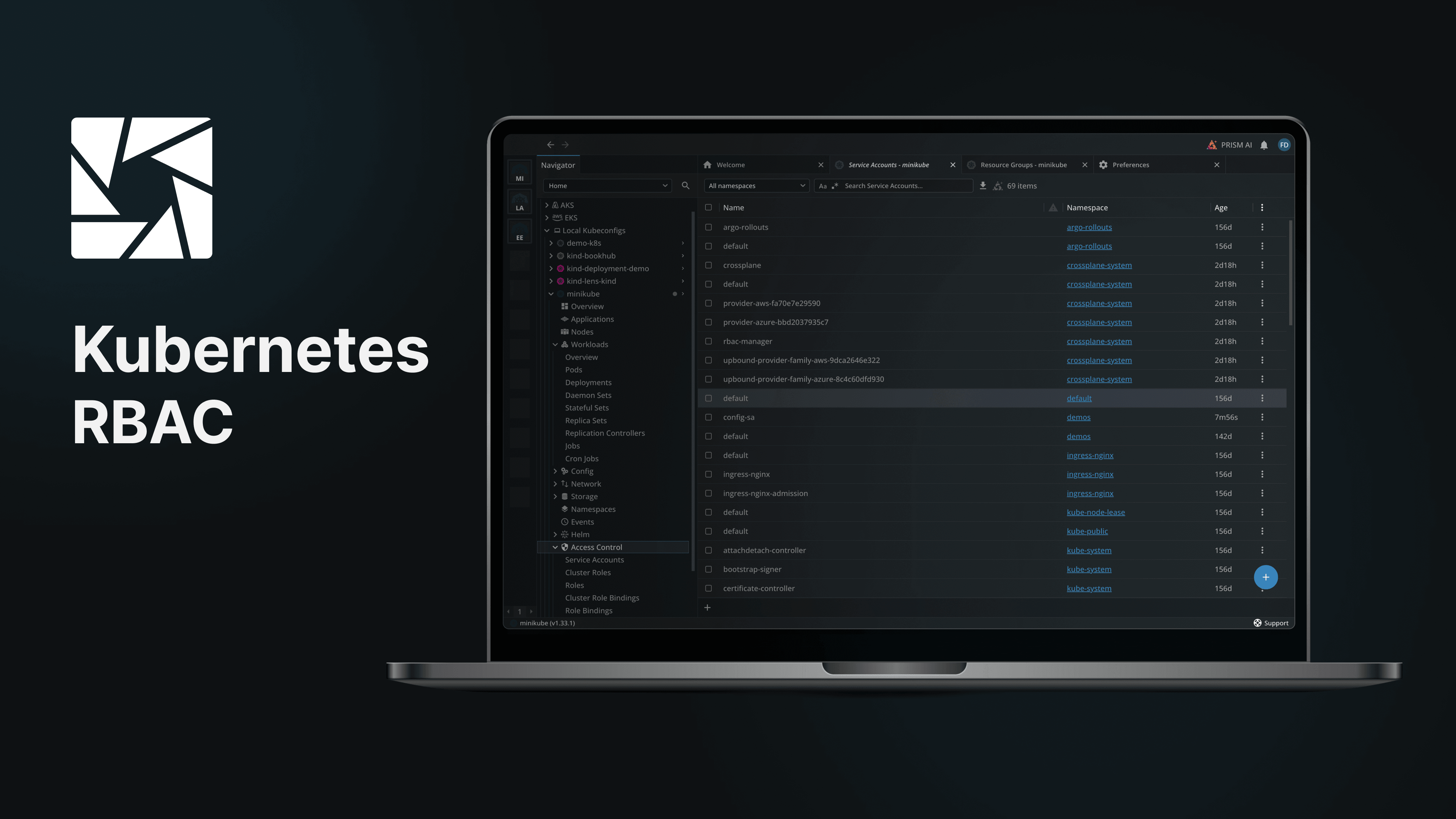
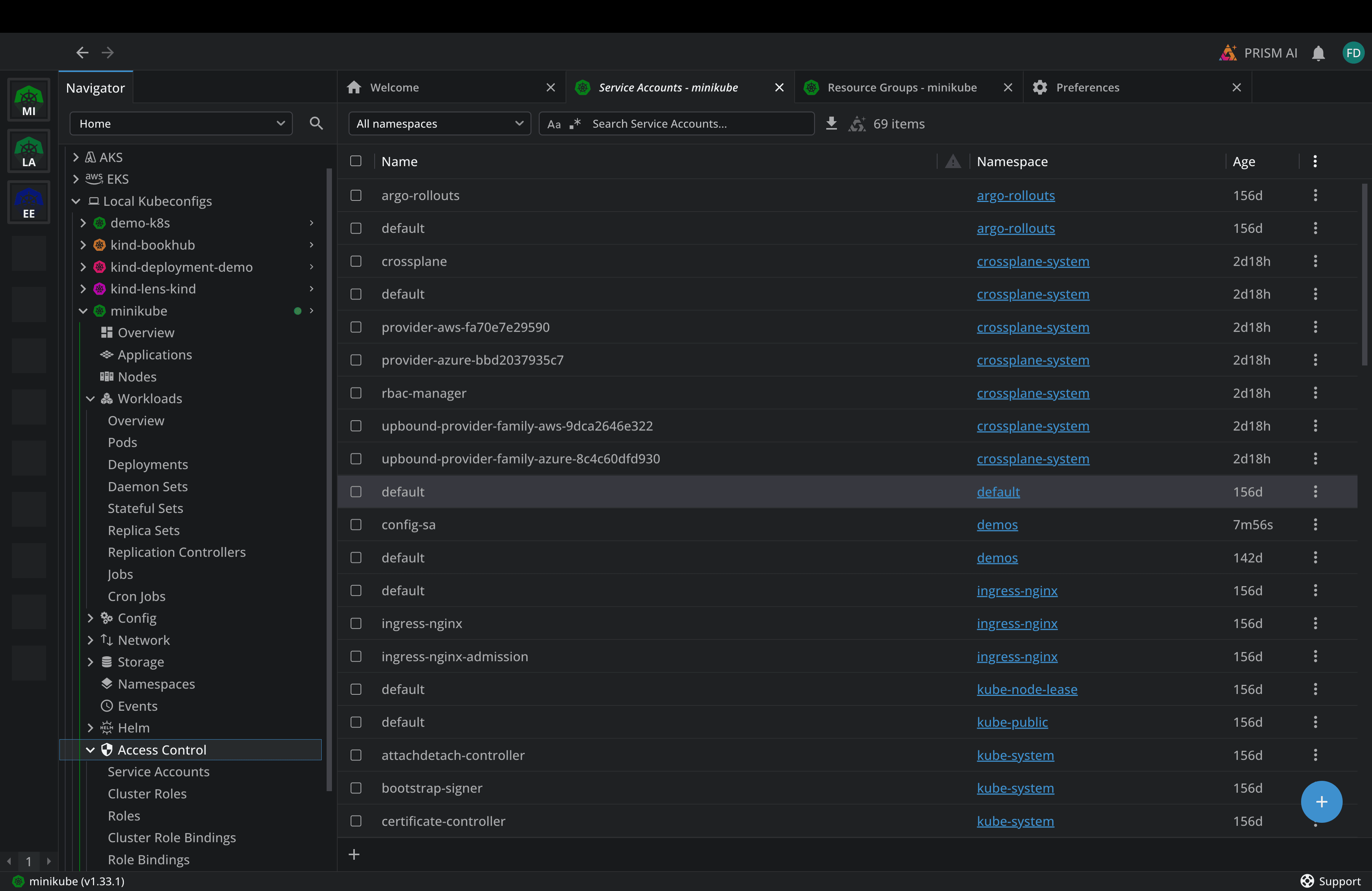
- See, navigate, create, update, and troubleshoot all the RBAC resources (Service Accounts, Roles, ClusterRoles, RoleBindings, ClusterRoleBindings)
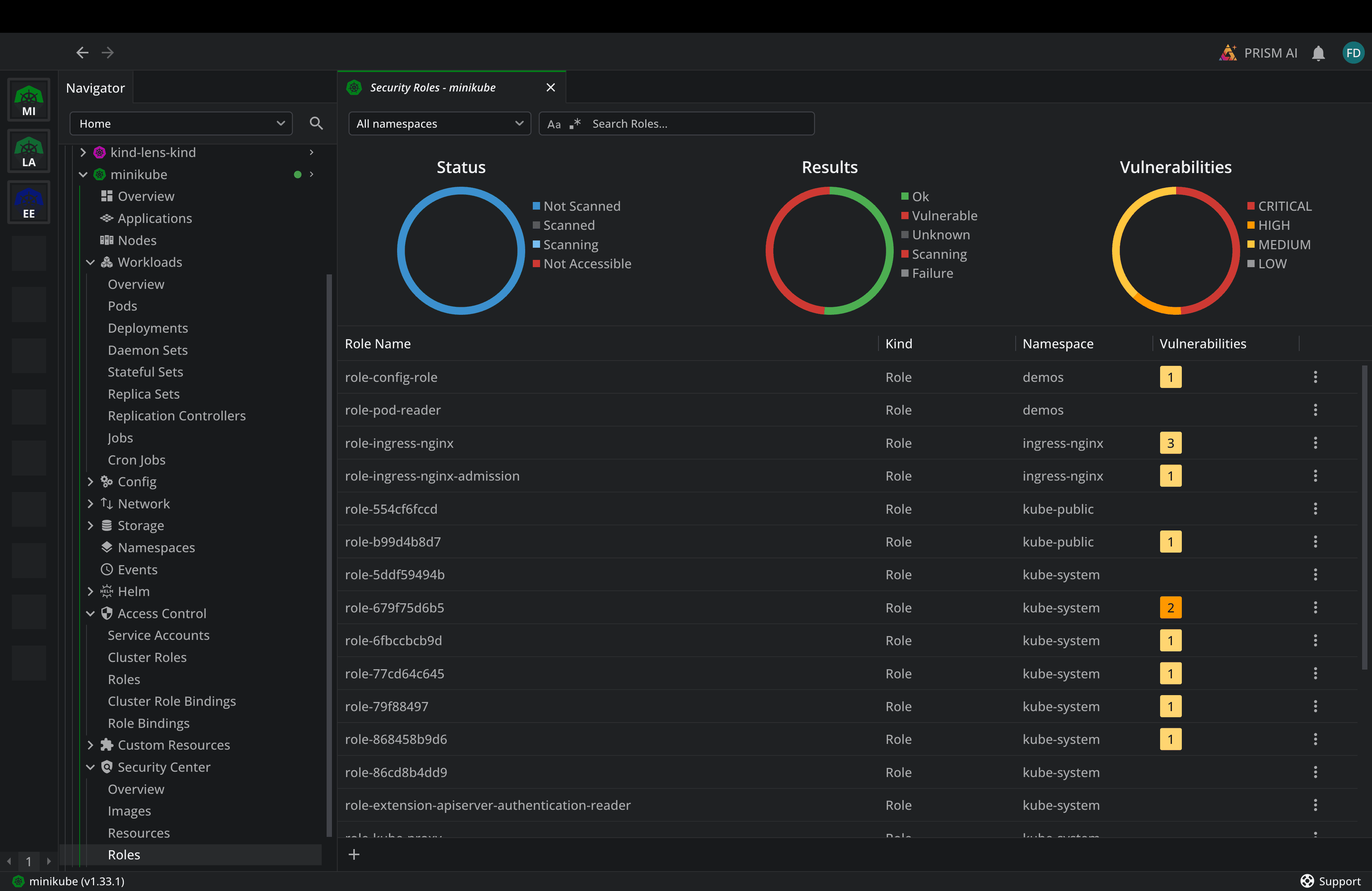
- Understand if you have any misconfigurations or vulnerabilities using the Lens Security Center
- Use Lens Prism to get more information about your RBAC posture:
RBAC Best practices in Kubernetes
Here are some of the best practices you should take advantage of when you are working with Kubernetes RBAC in production environments:
1. Use PoLP by granting the permissions a Subject explicitly needs.
2. Prefer RoleBindings instead of ClusterRoleBindings as this will limit the blast radius and make access patterns easier to audit.
3. Avoid using the cluster-admin ClusterRole in production workloads, as this gives access to every resource
4. Create dedicated Service Accounts for every workload, as each application needs to have its own tailored permissions
5. Take advantage of resourceNames for sensitive resources, especially when your workloads need access to a specific ConfigMap or Secret
6. Audit your RBAC regularly as permissions accumulate over time you might end up with overprivileged Subjects.
7. Manage RBAC as code, by storing it in version control alongside your application configs
Conclusion
Kubernetes RBAC can get complex fast, even though it may seem straightforward. You should always start RBAC with being as strict as possible, and only add permissions if they are actually needed.
Lens K8s IDE makes managing Kubernetes RBAC easier, by giving you a powerful view of all the RBAC resources you have in your clusters. Apart from that the Security Center gives you insights about misconfigurations and vulnerabilities you have in your RBAC, and Lens Prism can easily help you understand your RBAC posture and how you can improve it.
If you want to make Kubernetes RBAC easy, book a demo with a Lens Kubernetes IDE engineer to see all the ways we can help.