


Lens Experimental Features: Ship Faster, Opt-In Only
TL;DR
- Lens Experimental Features let you try out new functionality that is still in development. These features may be unstable, change without notice, or be removed entirely.
- It is a new delivery mechanism that lets us ship features to Lens Kubernetes IDE outside of our normal release cycles
- You can opt in to Experimental Features, install whatever experiments you want to try, and you can also easily uninstall them at any time
- There are three experiments available right now: URL Navigation and Sharing, Theme Tweaker, and an Azure (Lab) Prism provider
- Lens Experimental Features were built to rapidly test new ideas with practitioners and ship targeted features to customers
Kubernetes tools are moving fast, but we know that most product release cycles don’t. At Lens, we are shipping new versions of our Kubernetes IDE every 2 weeks. As we move faster and faster, we notice that this cadence isn’t fast enough for what we want to do.
If we want to try out, for example, a new navigation pattern with real users, gating it behind a full release means that we either roll the update to a percentage of our users and expect others to download it, or we never ship it at all.
That is the gap Lens Experimental Features fills.
What do the Lens Experimental features do?
With Lens Experimental Features, we ship new features and fixes to you remotely, on an opt-in basis. You don’t need to wait for new releases, nor do you need to install everything if you are not ready or don’t need it.
Note: You can access Lens Experimental Features under Preferences->Experimental in the Lens Kubernetes IDE.
Each experiment has a name, a short description, a version number (independent of the Lens Kubernetes IDE version), and a status (Installed or Not Installed).
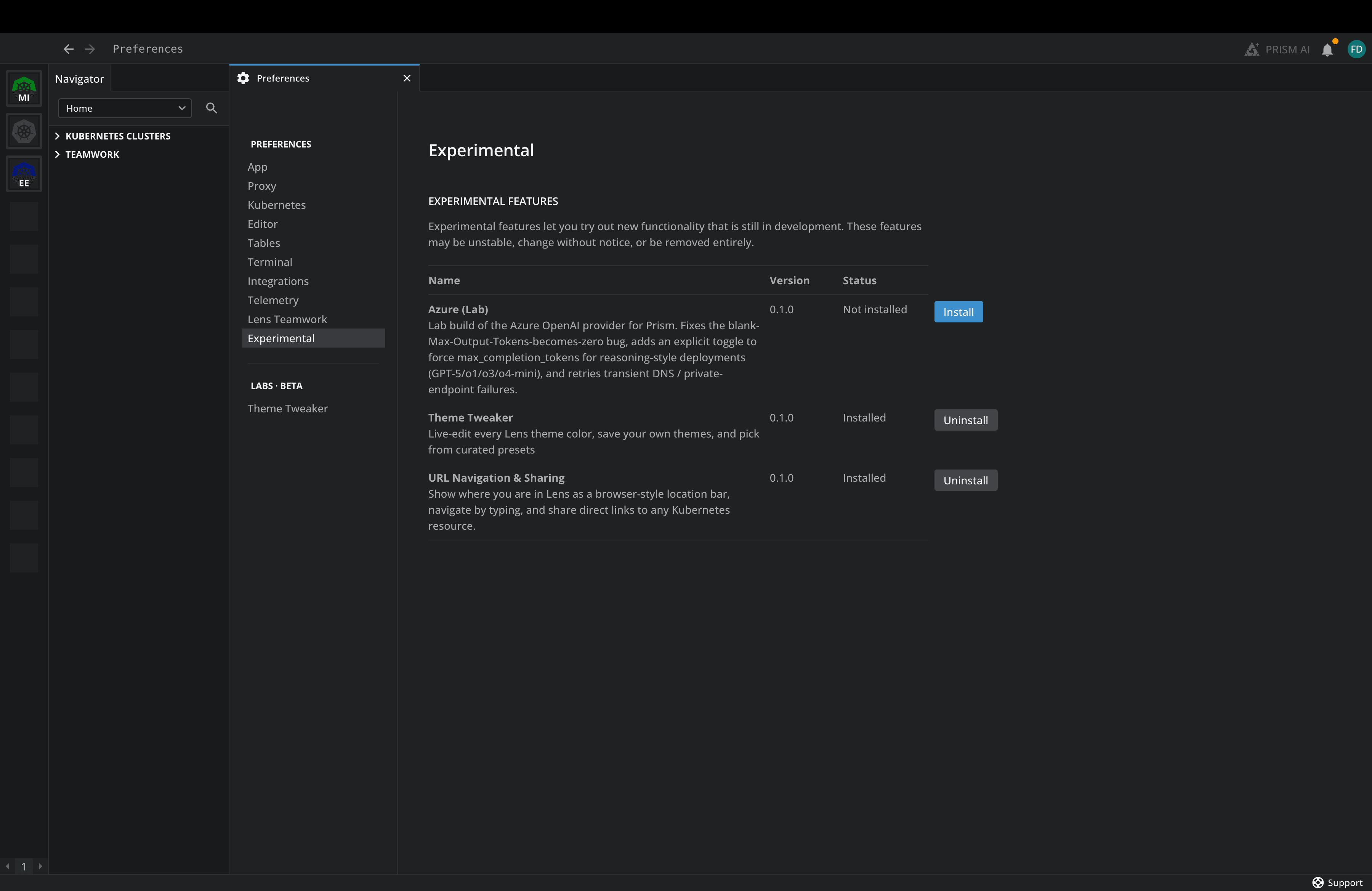
You don’t need to edit any config files; just choose which experiments you want to run in the Lens Kubernetes IDE.
Note: Experimental features are in active development and may change without notice. If you want to try new features, this is the place to go.
Why did we build Lens Experimental Features in this way?
When we were thinking about how to make your experience better, we decided to ship Experiments as a first-class part of Lens Kubernetes IDE for three main reasons:
- Speed: Experiments enable us to put a feature in front of practitioners in hours/days rather than weeks, and help us learn from how people actually use them
- Targeted features and fixes: When you need a specific feature in Lens, we can build an experiment, have you test it out, and then see if it makes sense for it to be a part of Lens Kubernetes IDE
- Optionality: Some users want stability above everything else. Others need speed. Not every user wants the same tradeoffs. With Experiments we enable both groups to coexist in the same product.
The First Three Experiments
There are three available experiments that you can install today (a lot more to come):
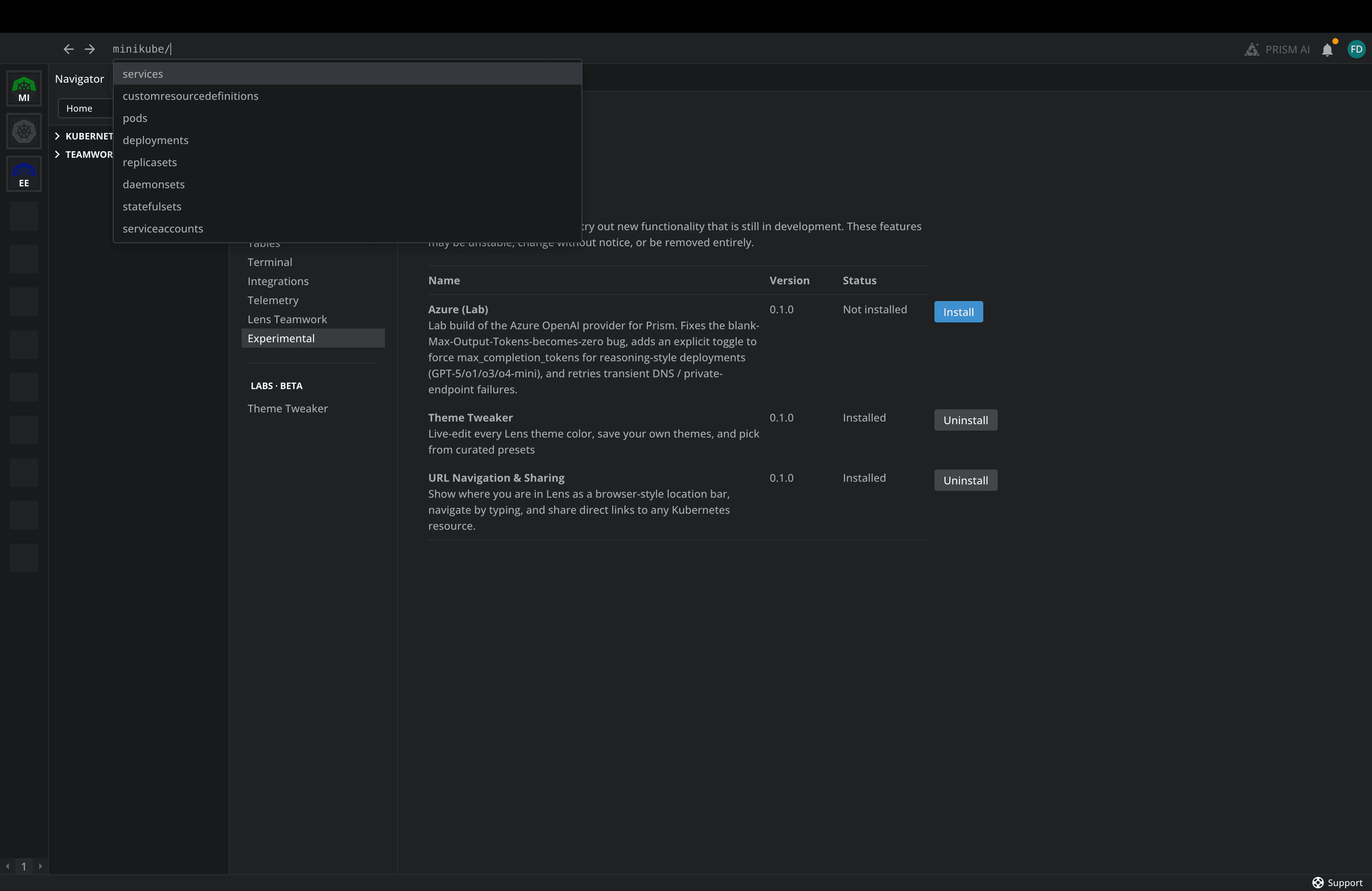
- URL Navigation and Sharing: This experiment adds a browser-style location bar to the top of Lens Desktop. You can type to navigate to any Kubernetes resource (with autocomplete), and you can also share direct links to specific resources with your teammates.
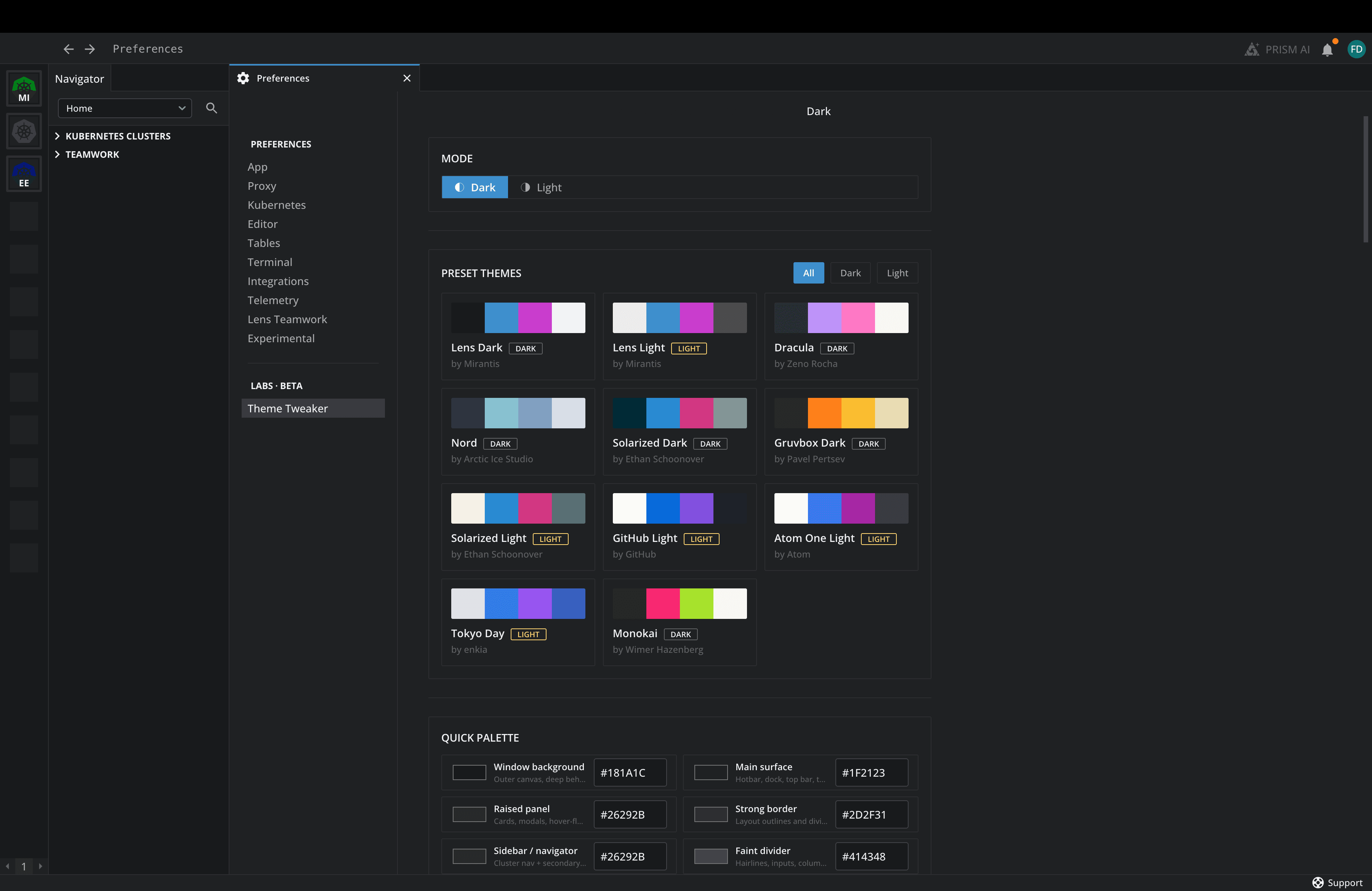
- Theme Tweaker: Some people prefer dark mode, others prefer light mode, and some simply want to see green instead of blue. We get it. With Theme Tweaker, you can easily select any theme you want, making it more comfortable to use for anyone
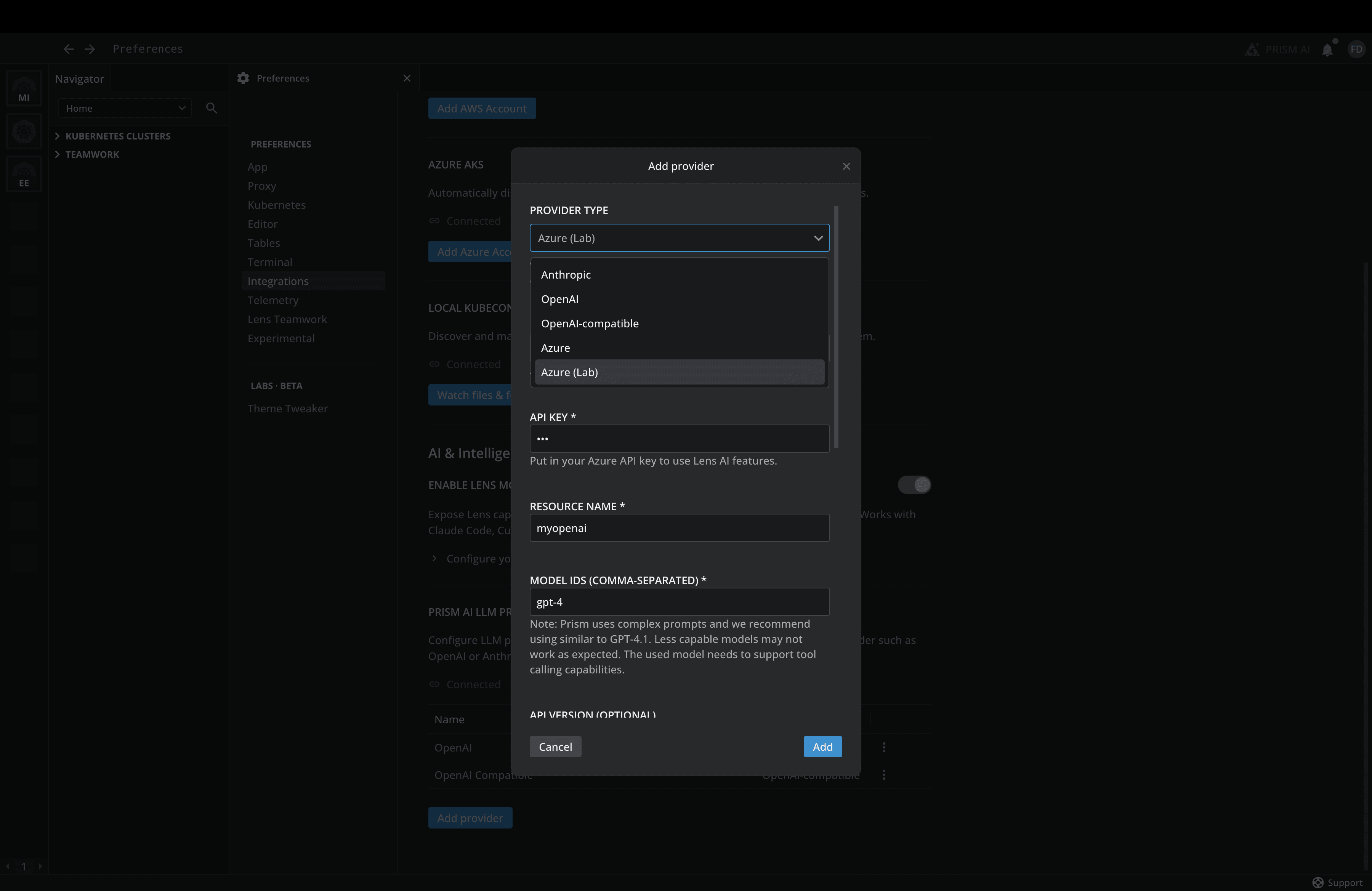
- Azure (Lab) Prism Provider Fix: Some customers had issues with the existing Azure OpenAI provider for Lens Prism. If you also have problems with it, this experiment should fix them; otherwise, you don’t need it. That’s the whole point of our opt-in model.
How to Install an Experiment
Installing an Experiment is straightforward; you just need to open Lens Kubernetes IDE and go to Preferences -> Experimental. Here you will see a list of all the available Experiments that you can install. Find the one you want and simply hit the “Install” button.
You don’t need to restart the Lens Kubernetes IDE for the experiment to work. Similarly, if you want to uninstall an Experiment you can simply click on the “Uninstall” button.
Try it Out
If you are already using Lens Kubernetes IDE, head to Experiments and pick one to install. The Theme Tweaker has no risk, and you can easily switch back to the original theme whenever you want.
These three Experiments are just the starting point, not the destination. We want to move even faster on the things you tell us matter the most.
If you install an experiment and it works well for you, share your feedback on our forum. Same for those that don’t work well for you.
If you want to learn more about how Lens Kubernetes IDE can enhance your Kubernetes workflows, and how the IDE itself, Lens Prism, the Lens MCP Server, our Security Center, and now Experiments fit together, book a demo with one of our engineers.