


Pricing & Plans
Choose the Lens product that fits your workflow. One family of powerful tools — flexible plans for individuals, teams, and enterprises.
Lens K8S IDE
IndividualsOrganizationsPro plan
For larger organizations who want to use Lens.
$25Per UserPer MonthLens Desktop - The #1 IDE for Kubernetes
- Lens Desktop Pro features:
- Multi-cluster management
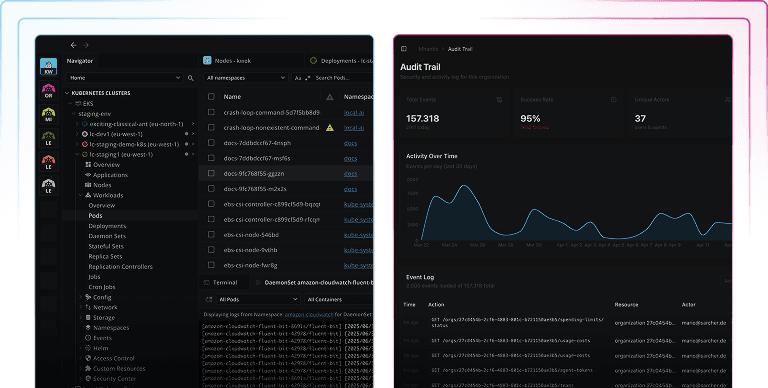
- Visualization of Kubernetes resources, metrics and real time logs
- Smart Terminal
- Helm Chart management
- Port forwarding
- Lens MCP Server
- Lens Prism: Your AI-powered copilot
- AWS Integration: Automatic EKS Cluster discovery
- Azure AKS: One Click Azure Integration for AKS Cluster Discovery
- Security Center: CVE reporting for images, resources and roles
- Hotbar: Quick Access to Multiple Clusters
- Teamwork: Secure Cluster Discovery and Remote Access
- Commercial Support
- Lens Desktop Pro features:
Enterprise plan
For organizations seeking to deliver increased security & compliance.
$50Per UserPer MonthEverything in Pro plus:
- Lens Desktop with additional Enterprise features:
- VDI Support
- Offline / air-gapped mode
- Centrally managed Lens Desktop features
- Single Sign-On (SSO)
- SCIM user provisioning
- Purchase via Invoicing
- Security Compliance Assistance
- Priority Enterprise Support
- Technical Account Manager
- Lens Desktop with additional Enterprise features:
Let's talk
Talk to our team about your deployment, security, or pricing needs.
- Get a live demo tailored to your requirements
- Discuss custom deployments: on-prem, air-gapped, or hybrid
- Review security and compliance configurations
- Get volume pricing for larger teams
- Ask our team anything before you decide
Compare Lens K8S IDE Features
| Features | ||
|---|---|---|
Cluster Management | ||
| Multi-Cluster Management Connect to and simultaneously manage multiple kubernetes clusters. |  | |
| Applications View | | |
| Nodes View | | |
| Workloads View | | |
| Configurations View | | |
| Network View | | |
| Storage View | | |
| Hotbar Provides quick access to multiple clusters | | |
| Images, Resources and Roles Vulnerabilities Reporting Scan your clusters for vulnerabilities and get a detailed report of any risks found. | | |
AI | ||
| Lens Prism Your AI-powered copilot | | |
| Lens MCP Server Lens MCP server exposes Lens Desktop capabilities as MCP tools, enabling an AI client as Claude to inspect Kubernetes clusters. | | |
Integrations | ||
| Local Kubeconfigs Discover Clusters from local kubeconfig files | | |
| AWS EKS One-Click AWS Integration for EKS Cluster discovery | | |
| Azure AKS One-Click Azure Integration for AKS Cluster discovery | | |
| Google GKE Google Integration for GKE Cluster discovery | | |
| Red Hat OpenShift Red Hat Integration for OpenShift Cluster Discovery | | |
Teamwork & Collaboration | ||
| Secure Remote Access to Clusters End-to-end encrypted connections from Lens Desktop to Kubernetes clusters across local, on-prem, or public clouds. | | |
| Centralized Cluster Discovery for teams Organize clusters in groups with role based access control. | | |
User & Subscription Management | ||
| Single Sign-On (SSO) | Google & Github | Google, Github, SAML & OIDC |
| Team License Management | | |
| System for Cross-domain Identity Management (SCIM) Support for Azure AD and JumpCloud. |  | |
| Hardened Lens Desktop Centralized feature management allows administrators to enable or disable Lens Pro features to standardize configurations and ensure security. | | |
| VDI Support Support for Lens Desktop for Windows running in Virtual Desktop Environments. Licensed per individual per computer. For custom setups or concurrent user access requirements, please contact sales. | | |
| Offline License Activation Offline activation enables users to activate Lens Desktop subscription in isolated (air-gapped) environments. | | |
| Air-gapped Mode Air-gapped mode stops all outbound internet traffic from Lens Desktop and can be useful for teams with strict network security policies. | | |
| Security Compliance Assistance Assistance in the completion of necessary compliance documentation and forms including security assessment questionnaires. | | |
| Purchase via Invoicing | | |
Support | ||
| Lens Forums | | |
| Community Support Public github issues and enhancements | | |
| Commercial Support Monday through Friday access to support engineers. | | |
| In-app Chat In-app support chat for on-demand conversational live support. | | |
| Priority Support Expedited issue resolution and feature requests prioritization, including access to dedicated Slack channels for direct and immediate communication. | | |
| Support Portal Portal to access the status of your organization's tickets. | | |
| Technical Account Manager Dedicated advisor for your organization to provide proactive guidance, best practices, and and act as a strategic partner for success (annual plans only). | | |