
TL;DR:
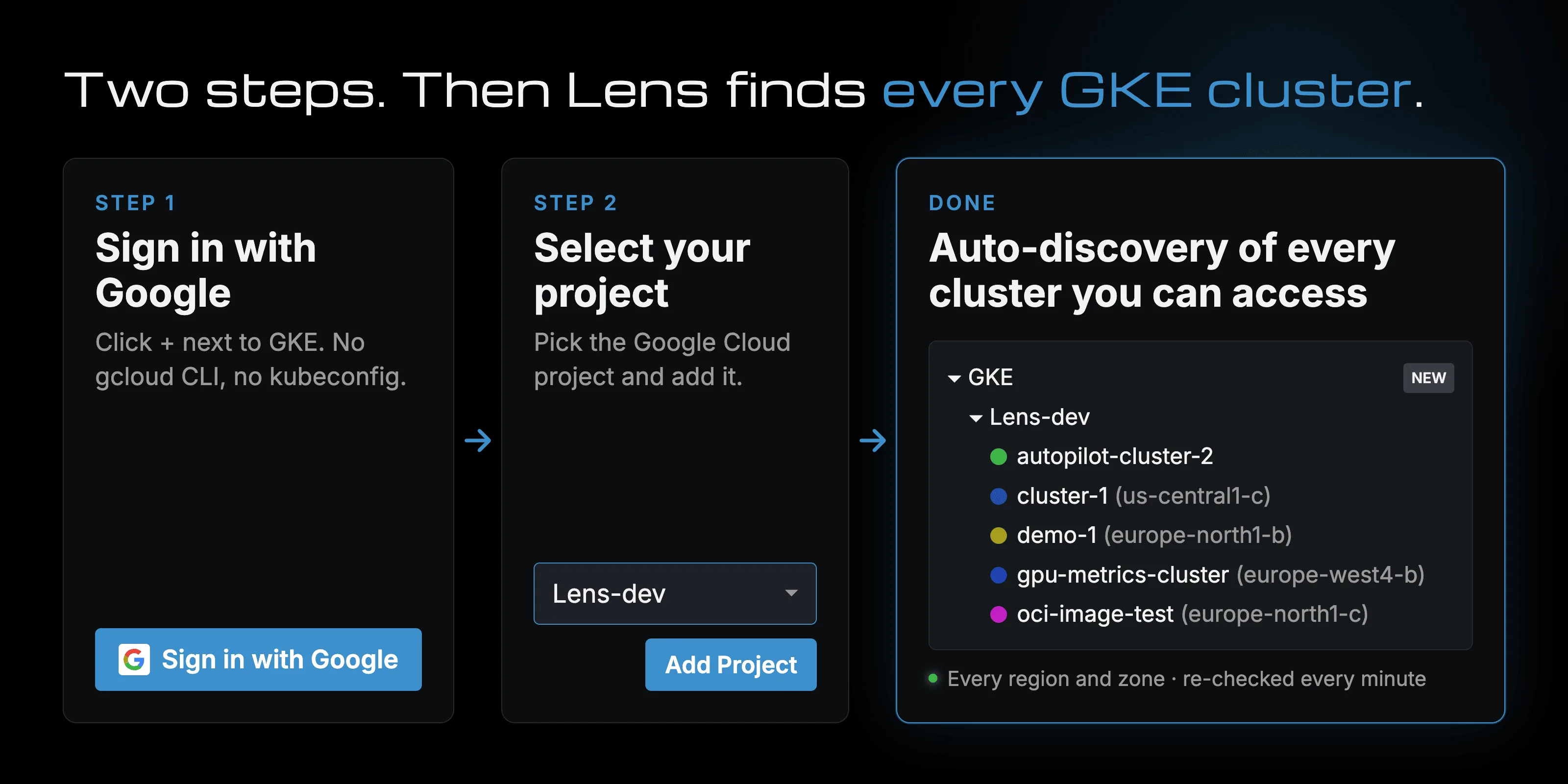
- Auto-discovery. Lens finds every running GKE cluster in your Google Cloud project, in all regions and zones, and checks again every minute.
- Sign in with Google. You don't install the gcloud CLI or copy a kubeconfig.
- Private clusters connect through their DNS endpoint.
- Several projects and accounts live side by side in the navigator.
Now it is possible to connect Lens K8S IDE to Google Kubernetes Engine (GKE), next to AWS EKS and Azure AKS. Add a Google Cloud project once, and Lens keeps its cluster list current.
GKE auto-discovery in just two steps
Sign in with Google, pick a project, and that's it. Lens lists every GKE cluster in the Running state, in every region and zone, and checks the project again every minute. When someone creates a cluster, it shows up on its own. When they delete one, it goes away. Each cluster carries its location in the name, like demo-1 (europe-north1-b).
Click a cluster to connect. Lens writes the kubeconfig and keeps it up to date.
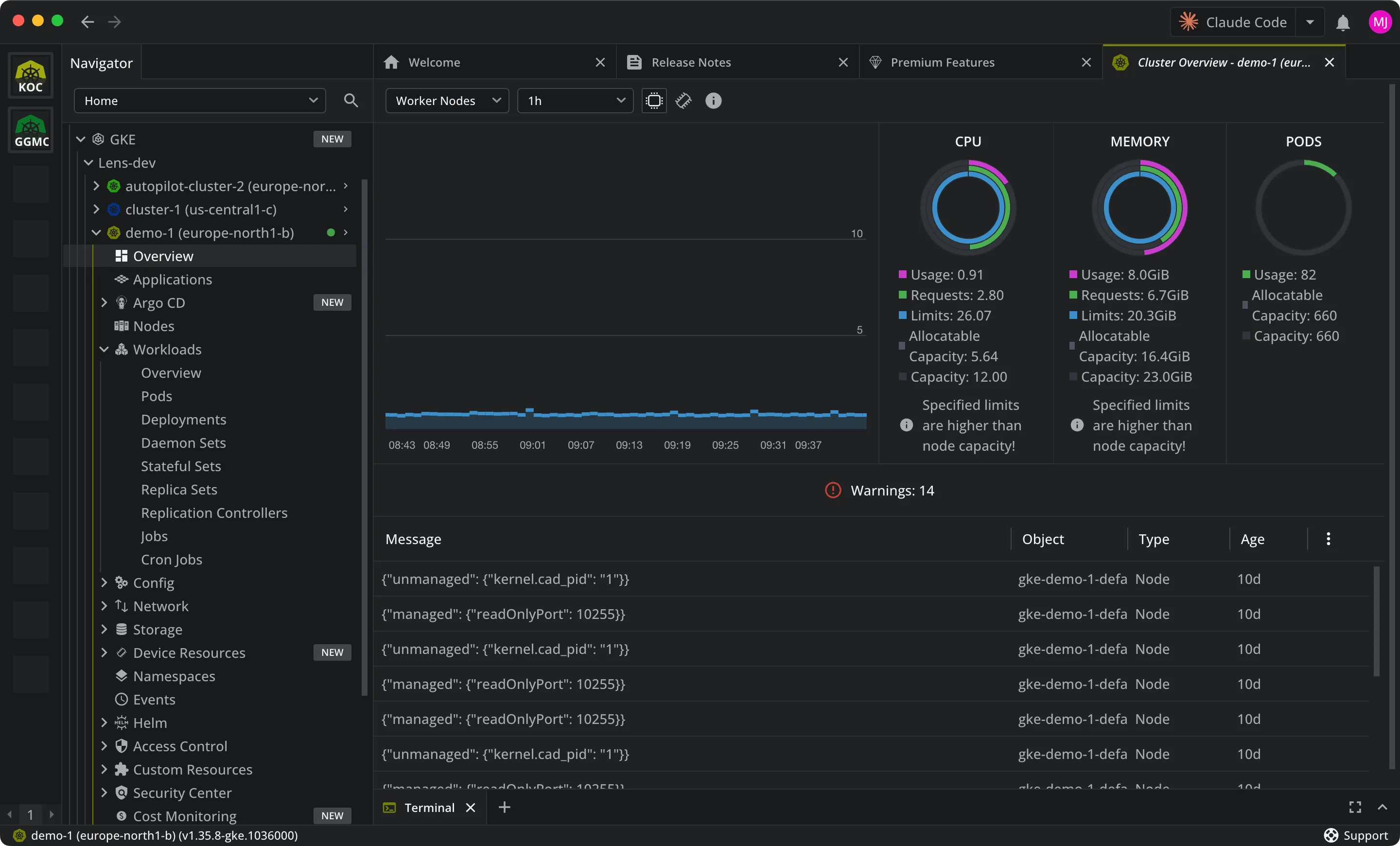
You see the clusters your Google account has access to. To work inside one, you still need Kubernetes RBAC permissions on that cluster.
Private clusters work too
Private GKE clusters often have no public IP. If the cluster's DNS endpoint accepts external traffic, Lens connects through it with the same Google sign-in, and you don't need a VPN. See Private clusters in the documentation.
Get the update
One-Click Google Cloud Integration is available in Lens K8S IDE 2026.10.51501 and later. It is a Premium Feature, included with the Plus, Pro, and Enterprise plans (pricing) and with an active 14-day trial. It needs internet access.
For every step, see Add Google GKE clusters.
Try Lens free for 14 days
Without compromise. Connect your GKE clusters and see auto-discovery at work before you choose a plan.