
Argo CD and Flux CD dashboards, with Ask AI
Your Argo CD or Flux CD app is failing?
Find out why without leaving Lens, in a single click.
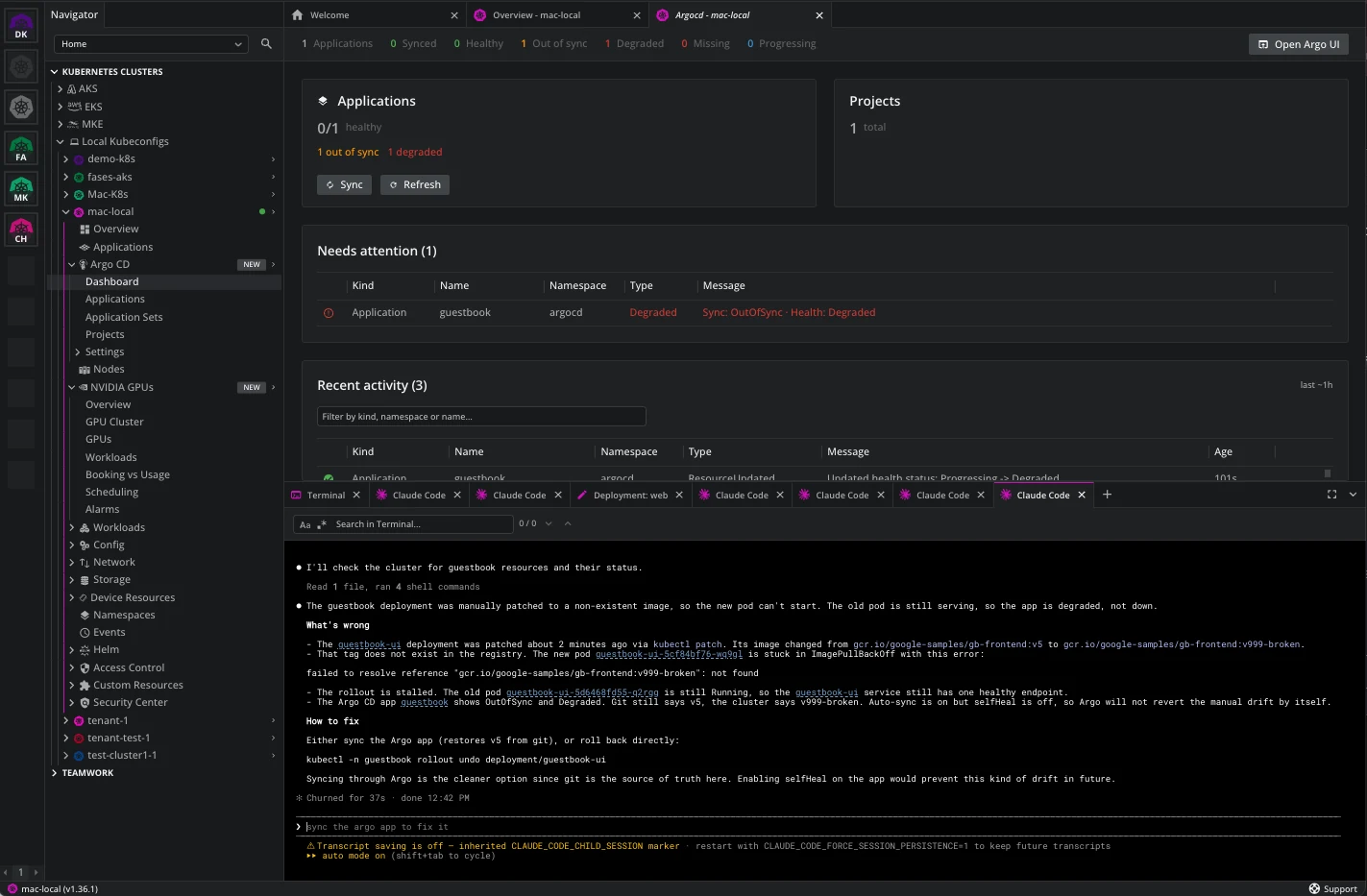
How Lens resolves it
The status, the object, and the fix in one window
The Argo CD entry in the cluster navigator holds a dashboard, every Argo CD resource kind, sync and refresh actions, and Ask AI on any of them.
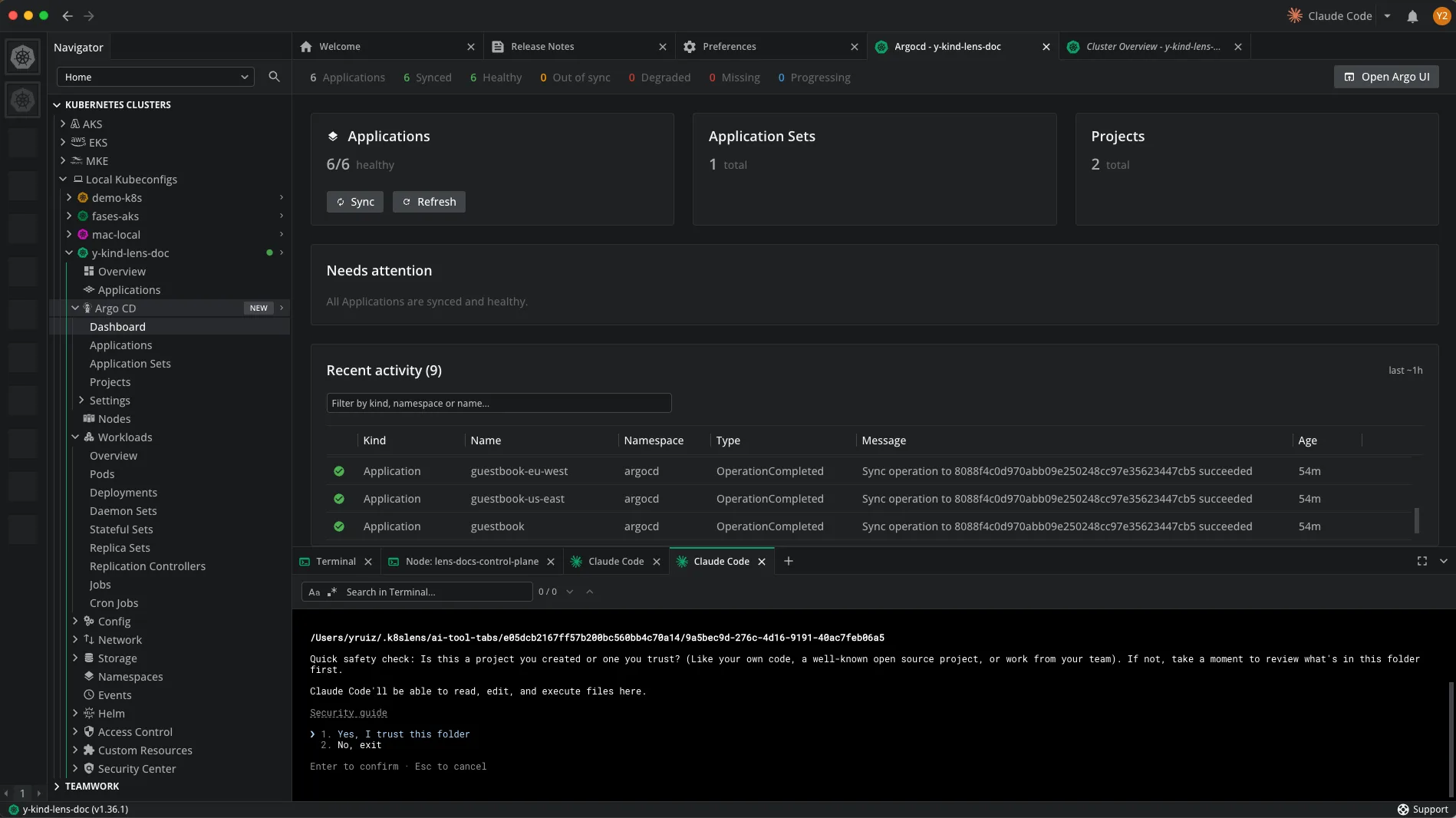


Both axes, one dashboard
Sync and health for every Application, ranked by what failed.


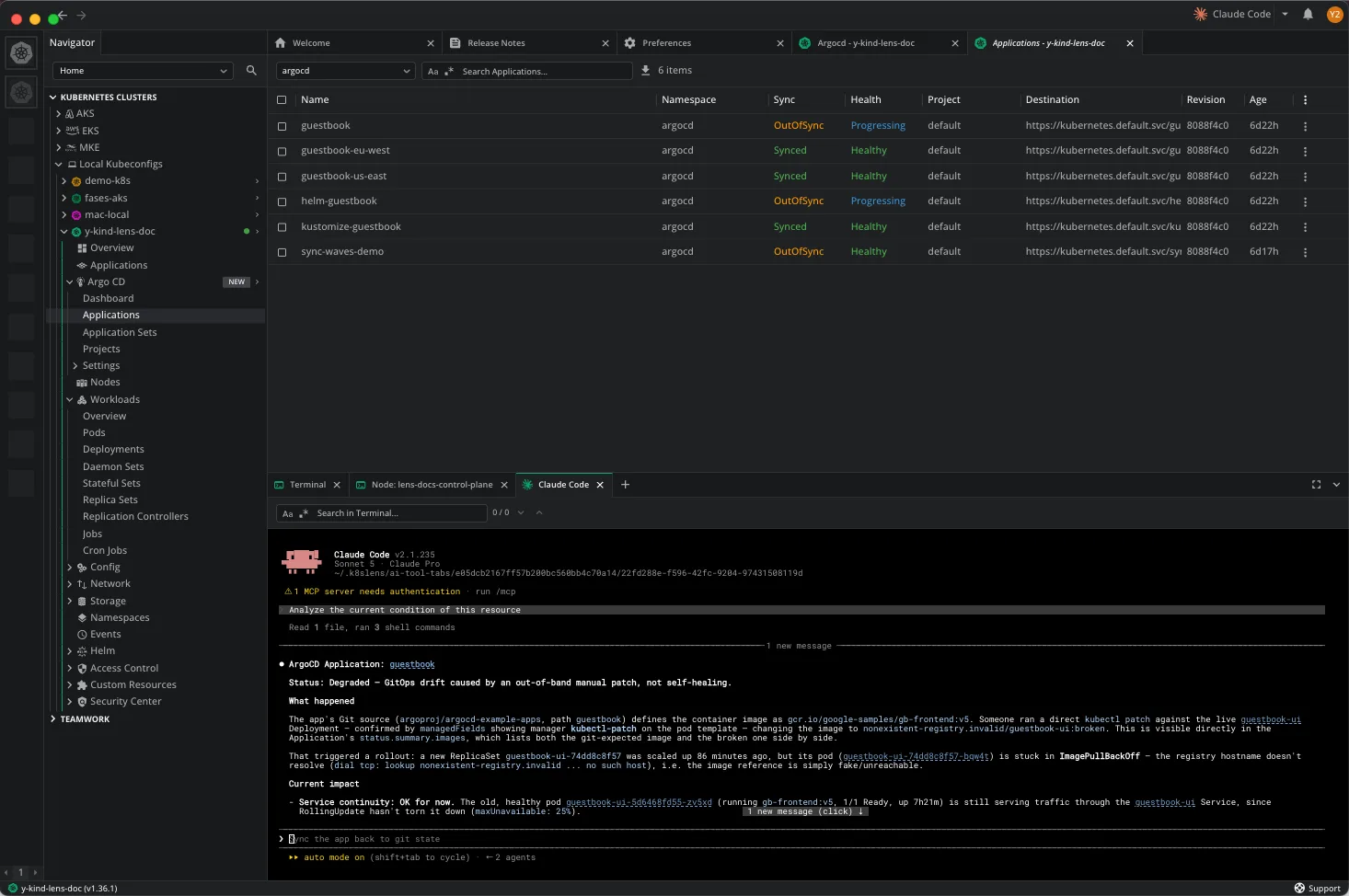
Ask your AI agent, with the cluster context
Right-click any Argo CD resource. Lens opens Claude Code, Gemini CLI, Codex CLI or Copilot CLI already focused on it.
Cross-reference both ways
Managed by links on every resource; each Application lists its objects.
Argo CD, then Ask AI
Right-click the Application and ask what actually broke
Argo CD says Degraded. It will not say which container is crashing, or whether the sync state you are reading is stale. Ask AI checks the live cluster and answers that.
Then the fix, with an undo
Edit the live resource in diff mode, revert in one click
Editing a live resource changes cluster state with no undo. The advanced editor gives that edit a diff and a way back, then you sync from the same window.
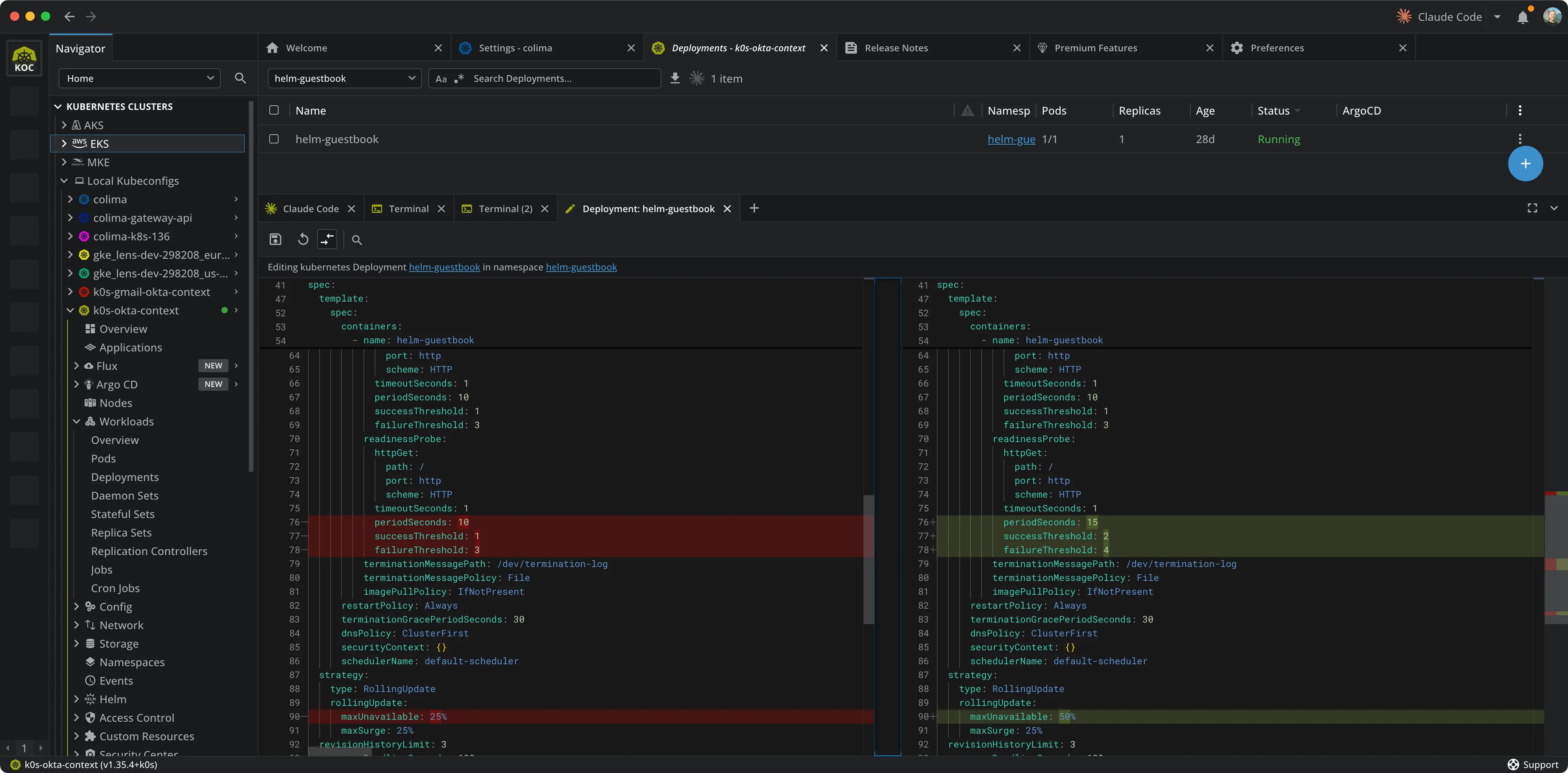
See what you changed
Side-by-side diff of the resource as you opened it against your edits, changed lines highlighted.
Revert to original
One click puts the resource back the way it was, before anything reaches the cluster for good.
Sync or Refresh from Lens
Right-click the Application to sync it against Git, or refresh it without waiting for the next poll.
How Argo CD reports it
Two axes, and the three states that raise a flag
Free. No payment details needed.
Try the Argo CD dashboard in the Lens 14-day trial
Every premium feature, unlocked for 14 days.


Download Lens Desktop and create your Lens ID from the app. Your 14 days start there. When the trial ends, your configuration is kept and the features lock until you upgrade.