Ask AI

Your pod or deployment fails?

Troubleshoot any Kubernetes resource with AI in a single click.
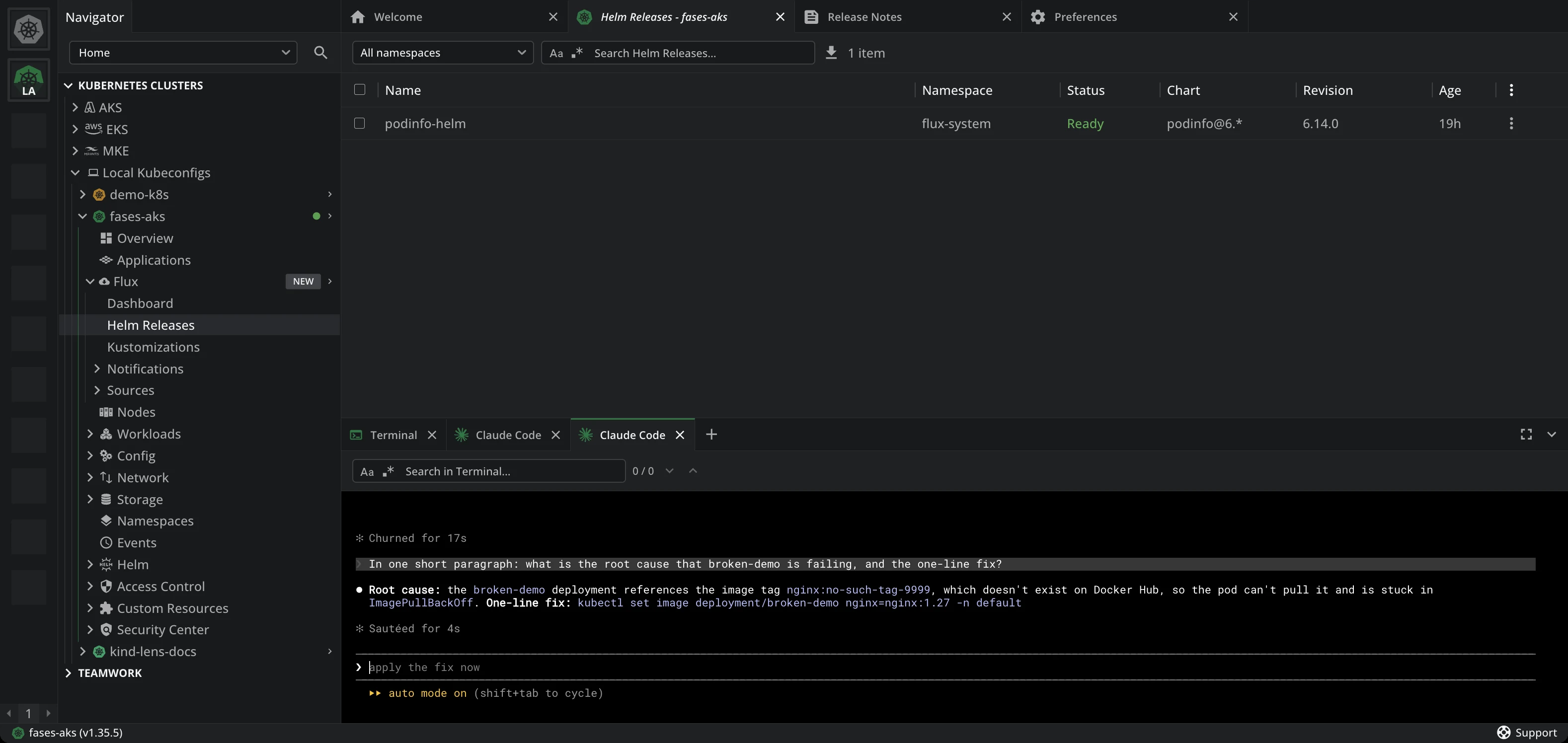
Lens K8S IDE with the Ask AI pane open on the fases-aks cluster. The prompt asks for the root cause of the failing broken-demo deployment and a one-line fix. Claude Code answers from the cluster: the deployment references the image tag nginx:no-such-tag-9999, which does not exist on Docker Hub, so the pod is stuck in ImagePullBackOff, and gives the fix, kubectl set image deployment/broken-demo nginx=nginx:1.27

How Lens resolves it

Context attached, not pasted

The feature is called Ask AI. Lens points KUBECONFIG at the cluster you have open and puts a matching kubectl on the PATH, so the agent reads the pod itself.
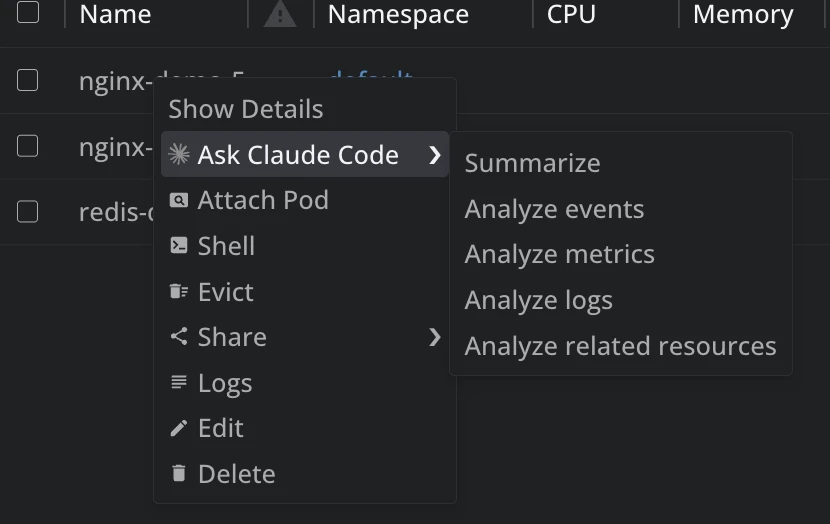
The context menu on a pod row in Lens K8S IDE, with an Ask Claude Code entry open on a submenu of Summarize, Analyze events, Analyze metrics, Analyze logs and Analyze related resources

Pick your agent

Claude Code, Copilot CLI, Gemini CLI, Codex CLI or OpenCode.

Right-click any resource

Summarize it, or analyze its logs, events and metrics.

Answers that click back

Resources come back as Lens links. Ask AI is Premium.

Why it works

No pasting, no API key

Any agent
Five presets, or your own command

Lens documentation, Configure Ask AI

No API key
AI provider to configure in Lens

Lens release notes, June 2026

All resources
Right-click to investigate any

Lens documentation, Using Ask AI

Free. No payment details needed.

Try Ask AI in the Lens 14-day trial

Every premium feature, unlocked for 14 days.

Amazon Web Services

AWS EKS

Discover EKS clusters across your AWS accounts.

Read the docs

Microsoft Azure

Azure AKS

Discover AKS clusters across your Azure subscriptions.

Read the docs

Ask AI

Connect your own AI CLI to any Kubernetes object, with live cluster context.

Read the docs

Lens MCP Server

Reach every cluster Lens knows from Claude, Codex or any MCP client.

Read the docs

Argo CD

Argo CD

Sync and health for every Application, next to its pods.

Read the docs

Flux

Flux CD

Reconciliation, drift and failures across every Flux resource.

Read the docs

Security Center

Scan the images your cluster runs for CVEs and exposed secrets.

Read the docs

Hotbar

Quick access to the clusters you open most.

Read the docs

Advanced editor

Edit a live resource in diff mode, and revert in one click.

Read the docs

Download Lens Desktop and create your Lens ID from the app. Your 14 days start there. When the trial ends, your configuration is kept and the features lock until you upgrade.