AWS EKS and Azure AKS integrations

EKS or AKS clusters you cannot see?

Connect the account and autodiscover your clusters.
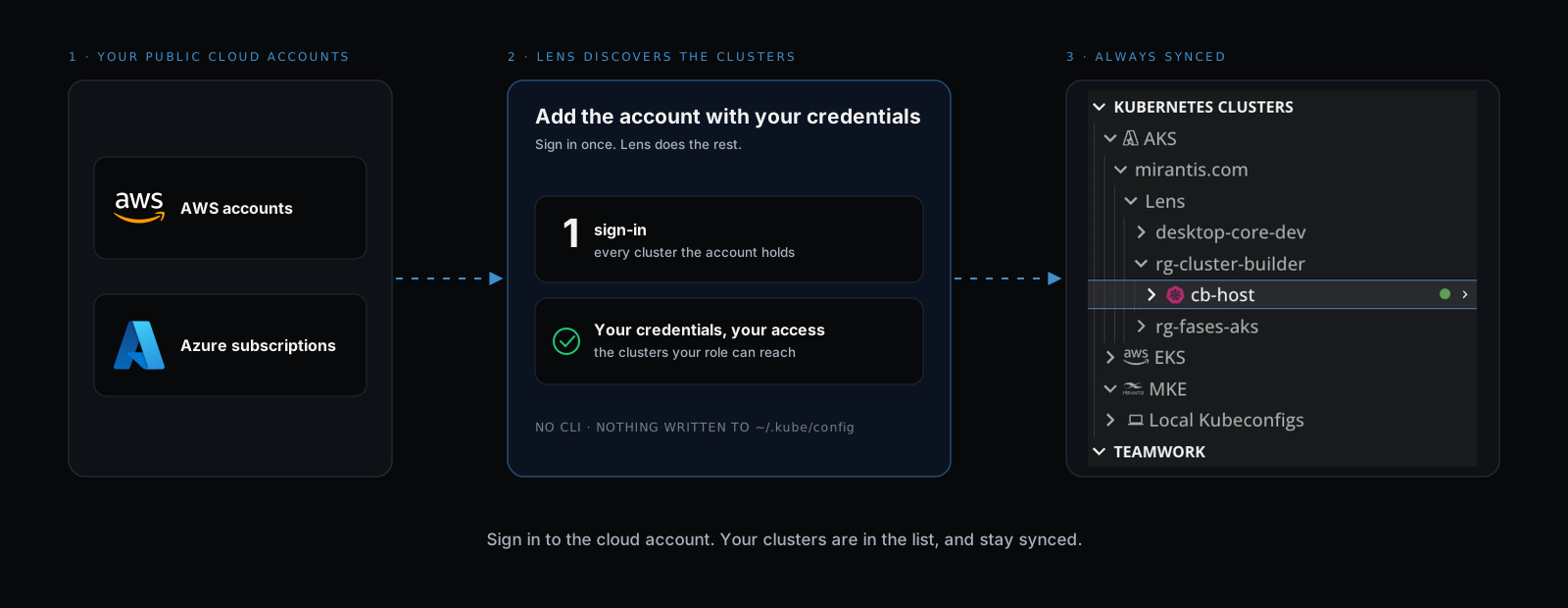
Discovery diagram in three columns. Left, the public cloud accounts you connect: AWS accounts through IAM Identity Center or an assumed role, and Azure subscriptions through Microsoft Entra. Centre, you add the account with your own credentials and sign in once; Lens discovers every cluster the account holds, limited to the clusters your role can reach, with no AWS or Azure CLI and nothing written to your kubeconfig. Right, a real Lens K8S IDE navigator screenshot: under Kubernetes Clusters, AKS expanded to the mirantis.com directory and its Lens resource group with the clusters desktop-core-dev, rg-cluster-builder with cb-host connected, and rg-fases-aks; then EKS, MKE and Local Kubeconfigs collapsed beneath, and Teamwork below

How Lens resolves it

Every cluster in the account, found for you

Lens queries your cloud accounts for their Kubernetes clusters. You do not name a cluster, a region, or a profile.

AWSAzure

Across accounts and subscriptions

Discovery runs across all your AWS accounts and all your Azure subscriptions. One EKS integration returns every cluster the account holds.

Your access role scopes the list

Sign in through IAM Identity Center or Microsoft Entra. When your own permissions stop short of the clusters, assume the IAM role that reaches them.

Synced, not snapshotted

New clusters appear and retired ones drop out. Select Refresh to re-run discovery for an account without waiting.

In the navigator

Grouped the way your cloud groups them

EKS clusters arrive under the AWS profile they came from. AKS clusters arrive under their Azure directory and resource group, with a connection dot on each.
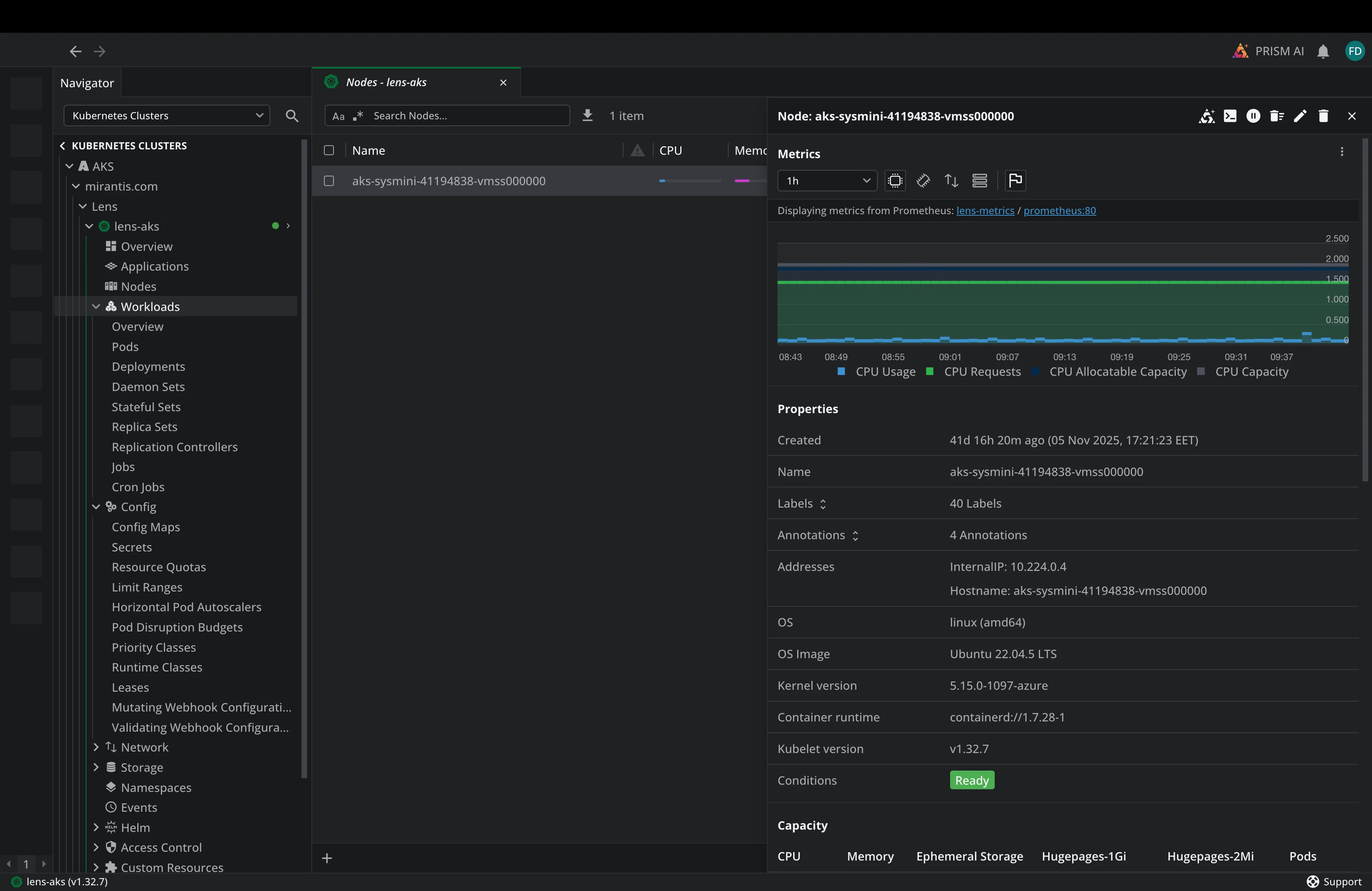
Lens K8S IDE with discovered AKS clusters in the navigator, nested under the Azure directory and resource group, one of them open on its nodes and node details

Open a cluster and work

Select a discovered cluster and Lens connects to it. No kubeconfig entry is written to your machine.

Private AKS clusters included

Private clusters are listed next to the public ones. Lens reaches them over the Azure-managed network path.

Rename a resource group

Give an Azure resource group a clearer label in Lens. The rename is local and does not change anything in Azure.

What it replaces

No CLI, no update-kubeconfig, no cluster list to maintain

No CLI
neither the AWS CLI nor the Azure CLI has to be installed or configured

Lens documentation, Add AWS EKS

Read-only
discovery needs eks:ListClusters and eks:DescribeCluster, or Azure Reader

Lens documentation, Connect cloud environments

Every account
connect several AWS accounts and Azure directories into one cluster list

Lens documentation, Connect cloud environments

Free. No payment details needed.

Try cluster discovery in the Lens 14-day trial

Every premium feature, unlocked for 14 days.

Amazon Web Services

AWS EKS

Discover EKS clusters across your AWS accounts.

Read the docs

Microsoft Azure

Azure AKS

Discover AKS clusters across your Azure subscriptions.

Read the docs

Ask AI

Connect your own AI CLI to any Kubernetes object, with live cluster context.

Read the docs

Lens MCP Server

Reach every cluster Lens knows from Claude, Codex or any MCP client.

Read the docs

Argo CD

Argo CD

Sync and health for every Application, next to its pods.

Read the docs

Flux

Flux CD

Reconciliation, drift and failures across every Flux resource.

Read the docs

Security Center

Scan the images your cluster runs for CVEs and exposed secrets.

Read the docs

Hotbar

Quick access to the clusters you open most.

Read the docs

Advanced editor

Edit a live resource in diff mode, and revert in one click.

Read the docs

Download Lens Desktop and create your Lens ID from the app. Your 14 days start there. When the trial ends, your configuration is kept and the features lock until you upgrade.