Device Resources

Which pod holds which GPU?

One view, from node and pod, with Lens DRA.

Device ledger diagram. On the left, two nodes publish Resource Slices with their driver and pool, one with 8 devices of which 6 are allocated, one with 6 MIG devices of which 1 is allocated. The middle column lists each device and who holds it: h100-0 and h100-1 held by llm-training, h100-4 by rerank-api, h100-7 flagged unhealthy as reported by the driver, mig-a0 held by notebook-ana and mig-b1 free, each with its model and capacity. On the right, the ResourceClaim that named the device class, and the pod that shows the claims and devices it holds

How Lens resolves it

GPU-aware, and not only GPU

DRA reached general availability in Kubernetes 1.34. It covers any specialized device a cluster hands out through a driver: GPUs, TPUs, FPGAs, fast NICs.
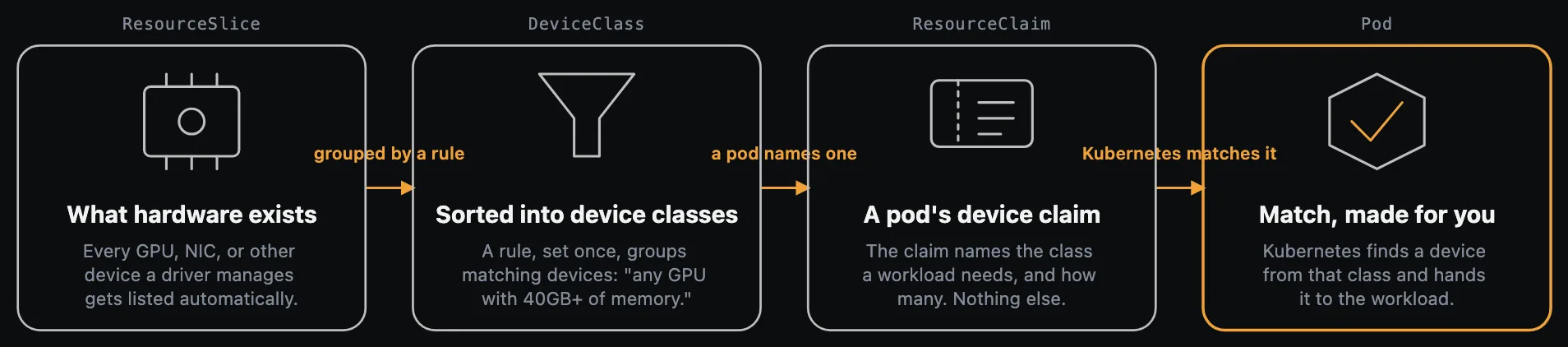
Four steps left to right: a driver reports what hardware exists as a ResourceSlice, a rule groups matching devices into a DeviceClass, a pod's ResourceClaim names one class and how many devices it needs, and Kubernetes matches a device from that class and hands it to the workload

From the node: what it has

Its device inventory, read from the Resource Slices it publishes.

From the pod: what it holds

The claims it holds and the devices behind them.

Warned before the job dies

Unhealthy devices flagged as the driver reports them.

In the navigator

Claims, templates, classes and slices
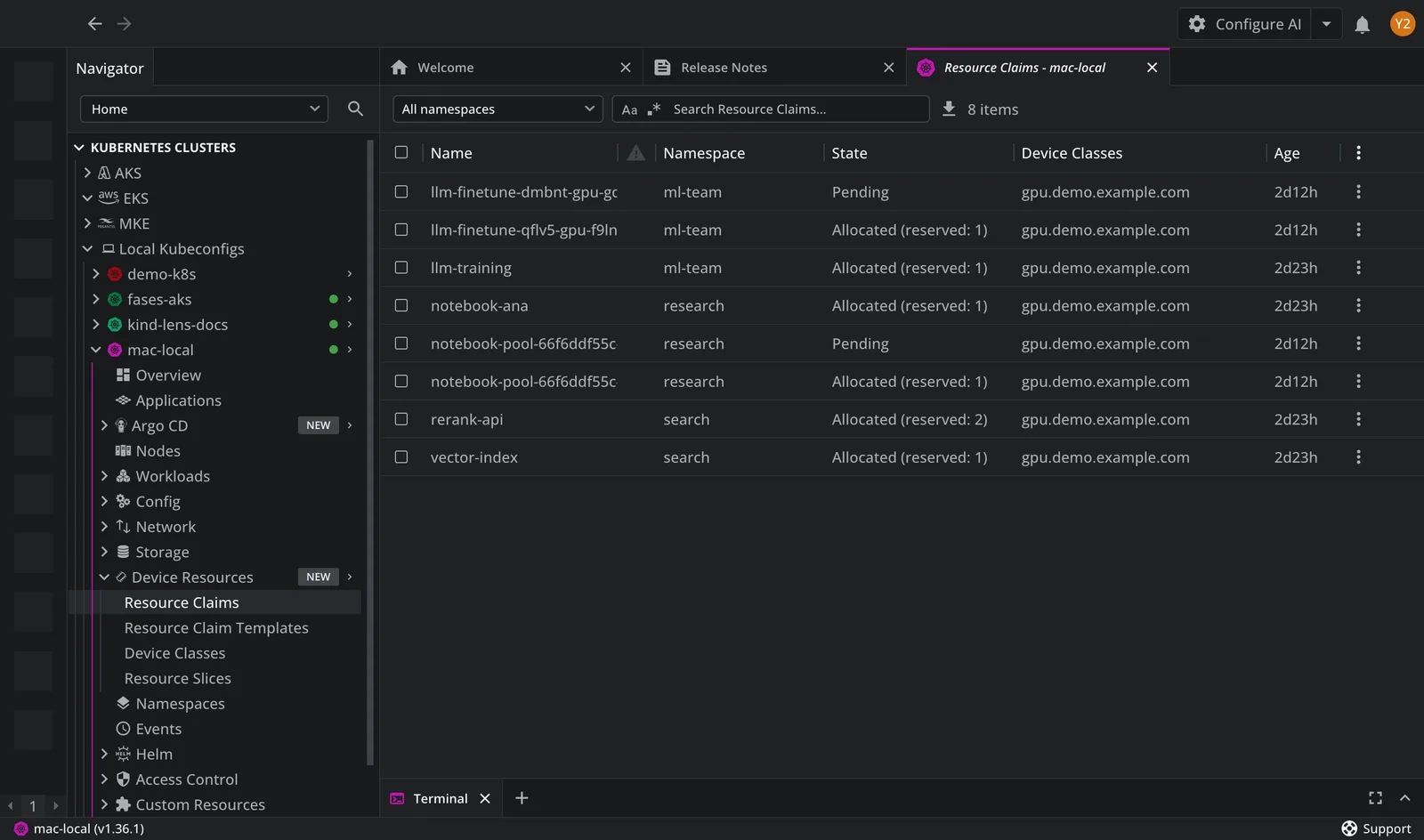
The Device Resources navigator group in Lens K8S IDE with a Resource Claims list open for a cluster with GPU claims

Device Resources

Built into the navigator, nothing to install

Four views
Resource Claims, Claim Templates, Device Classes, Resource Slices

Lens documentation, Device Resources

K8s 1.34+
the resource.k8s.io/v1 API this reads reached general availability there

Lens documentation, Device Resources

No install
a built-in Kubernetes API group, not a CRD, so there is nothing to add

Lens documentation, Device Resources

Free. No payment details needed.

Device Resources is free. Try the rest in the Lens 14-day trial

Every premium feature, unlocked for 14 days.

Amazon Web Services

AWS EKS

Discover EKS clusters across your AWS accounts.

Read the docs

Microsoft Azure

Azure AKS

Discover AKS clusters across your Azure subscriptions.

Read the docs

Ask AI

Connect your own AI CLI to any Kubernetes object, with live cluster context.

Read the docs

Lens MCP Server

Reach every cluster Lens knows from Claude, Codex or any MCP client.

Read the docs

Argo CD

Argo CD

Sync and health for every Application, next to its pods.

Read the docs

Flux

Flux CD

Reconciliation, drift and failures across every Flux resource.

Read the docs

Security Center

Scan the images your cluster runs for CVEs and exposed secrets.

Read the docs

Hotbar

Quick access to the clusters you open most.

Read the docs

Advanced editor

Edit a live resource in diff mode, and revert in one click.

Read the docs

Download Lens Desktop and create your Lens ID from the app. Your 14 days start there. When the trial ends, your configuration is kept and the features lock until you upgrade.