
Lens MCP Server
Your Kubernetes MCP cannot see your clusters on EKS or Azure?
Try Lens MCP: every cluster Lens knows, in any MCP client.
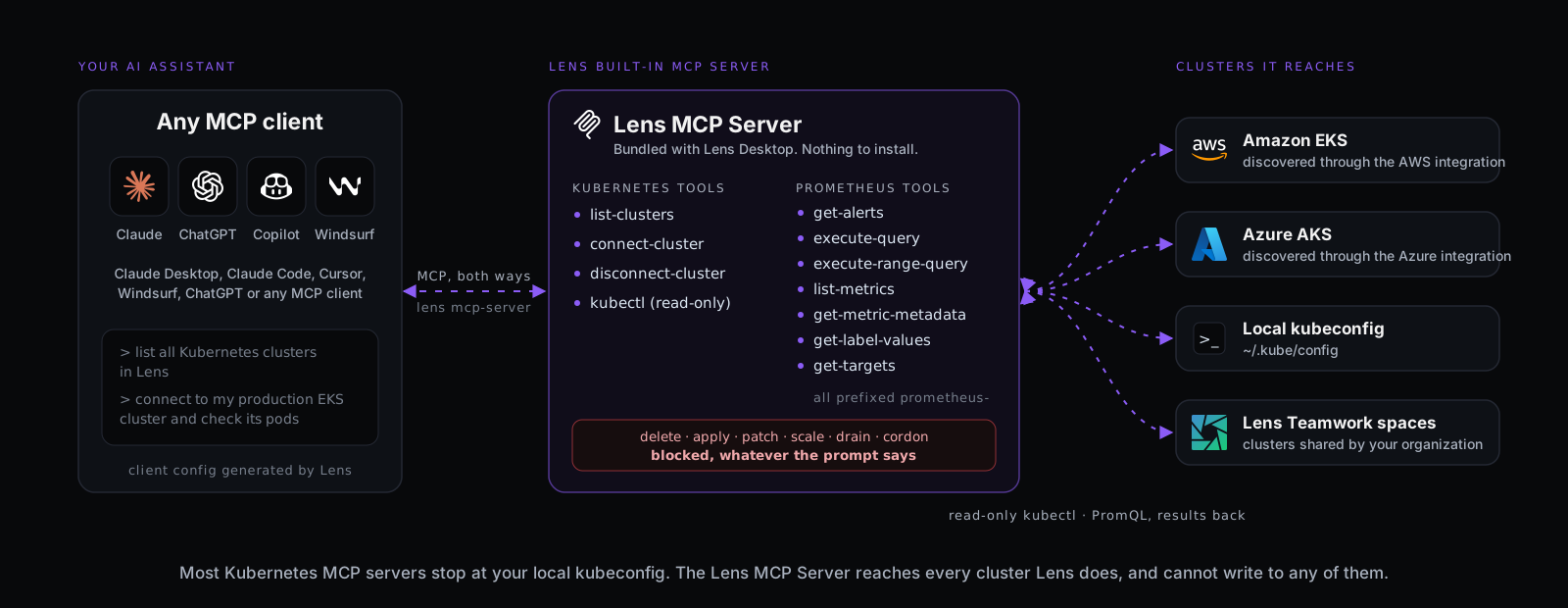
How Lens resolves it
Reach, scope and safety other MCP servers do not have
A generic Kubernetes MCP server sees one kubeconfig and runs whatever the model asks. This one sees what Lens sees, lets the assistant pick its clusters, and cannot write.


Every cluster, not one kubeconfig
One EKS integration with 50 clusters: the assistant reaches all 50. AKS and Teamwork spaces too.
Eleven MCP tools
list-clusters, connect-cluster, disconnect-cluster and kubectl, plus seven Prometheus tools for alerts, metrics and PromQL.
Read-only by design
An allow-list in the kubectl tool: get, describe, logs and top run. delete, apply, patch and scale are refused, whatever the prompt says.
Connect from your local AI agent
Three steps, under five minutes
Lens generates the client configuration for you, pointing at the Lens CLI that ships inside Lens Desktop. Nothing to install separately.

1. Turn it on
Preferences, Integrations, AI & Intelligence Integrations: Enable Lens MCP Server.
2. Copy the config
Configure your MCP client generates the JSON snippet. Paste it into your client, for example .mcp.json.


3. Ask your agent
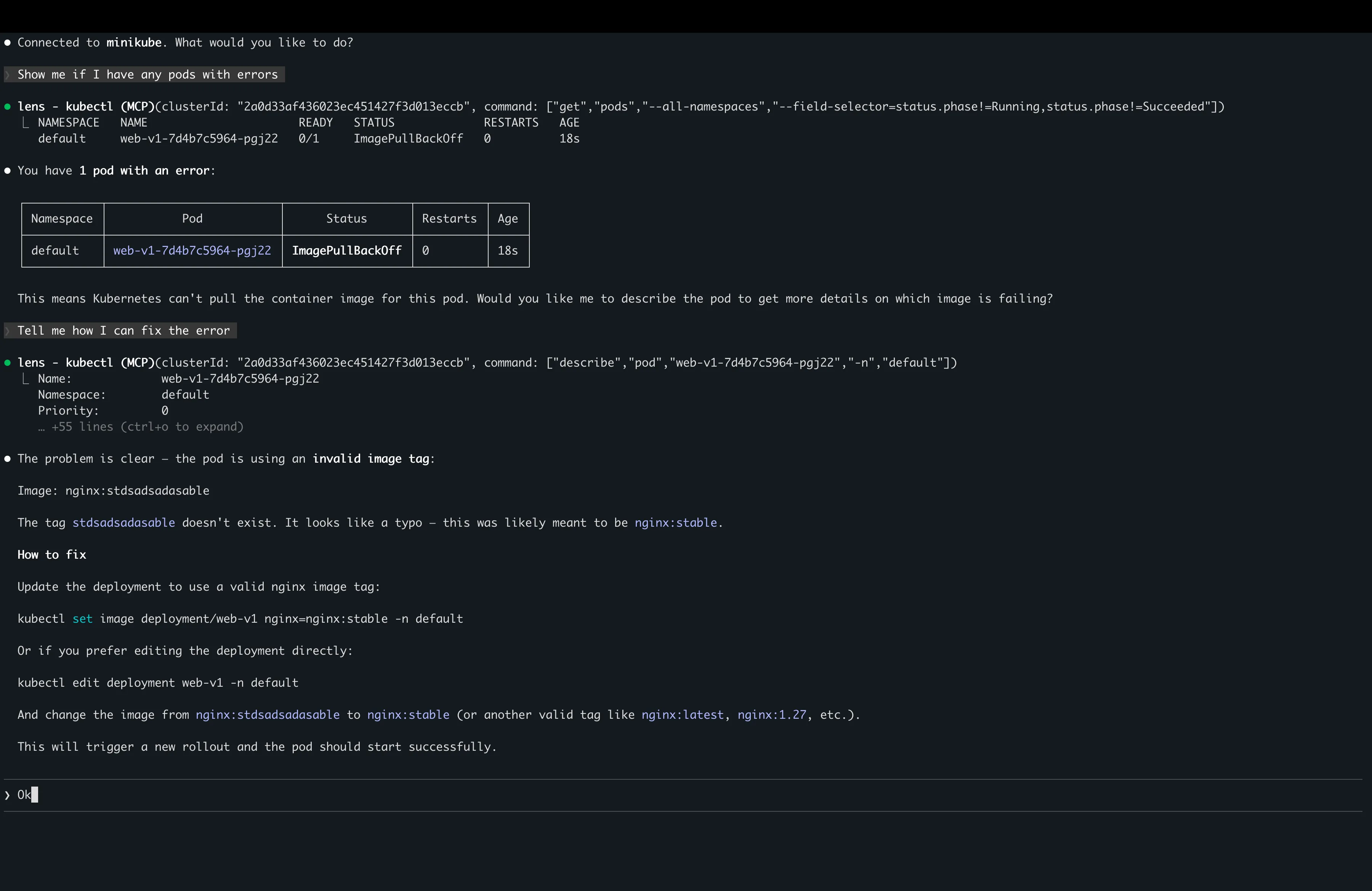
Claude Desktop, Claude Code, Cursor, Windsurf, ChatGPT or any MCP client. Say: list all Kubernetes clusters in Lens.
Four Kubernetes tools
Pick the clusters, then understand them with AI
Connect and disconnect scope what your assistant sees. kubectl runs get, describe, logs, top, events and the rest of the read-only allow-list; delete, apply, patch and scale are blocked.
list-clusters
Every cluster Lens knows, with its connection status.
connect-cluster
Connect by cluster ID. Your assistant scopes itself to it.
disconnect-cluster
Drop a cluster to filter what the assistant investigates.
kubectl
Read-only commands against a connected cluster, as an argument array.
Seven Prometheus tools
Metrics in the same conversation
Through the Lens internal proxy, so the assistant reaches Prometheus wherever the cluster runs.
prometheus-get-alerts
Firing alerts, for a health check without writing PromQL.
prometheus-execute-query, -range-query
An instant or range PromQL query, returned as values or time series.
prometheus-list-metrics
Available metric names, with filtering and pagination.
prometheus-get-metric-metadata
Type, help text and unit, to know what a metric measures.
prometheus-get-label-values
Namespaces, pods, jobs and other dimensions before you query.
prometheus-get-targets
Scrape targets and their status, to diagnose monitoring coverage.
Where the clusters come from
Beyond your kubeconfig
Configure an AWS EKS or Azure AKS integration in Lens and the MCP server can reach every cluster it discovers, plus the clusters shared with you in Lens Teamwork spaces.
Free. No payment details needed.
Try the MCP Server in the Lens 14-day trial
Every premium feature, unlocked for 14 days.


Download Lens Desktop and create your Lens ID from the app. Your 14 days start there. When the trial ends, your configuration is kept and the features lock until you upgrade.