
Security Center
Keep your organization's Kubernetes secure.
Lens Security Center visualizes all vulnerabilities in a single pane.
How Lens resolves it
Access, exposure, and control in one place
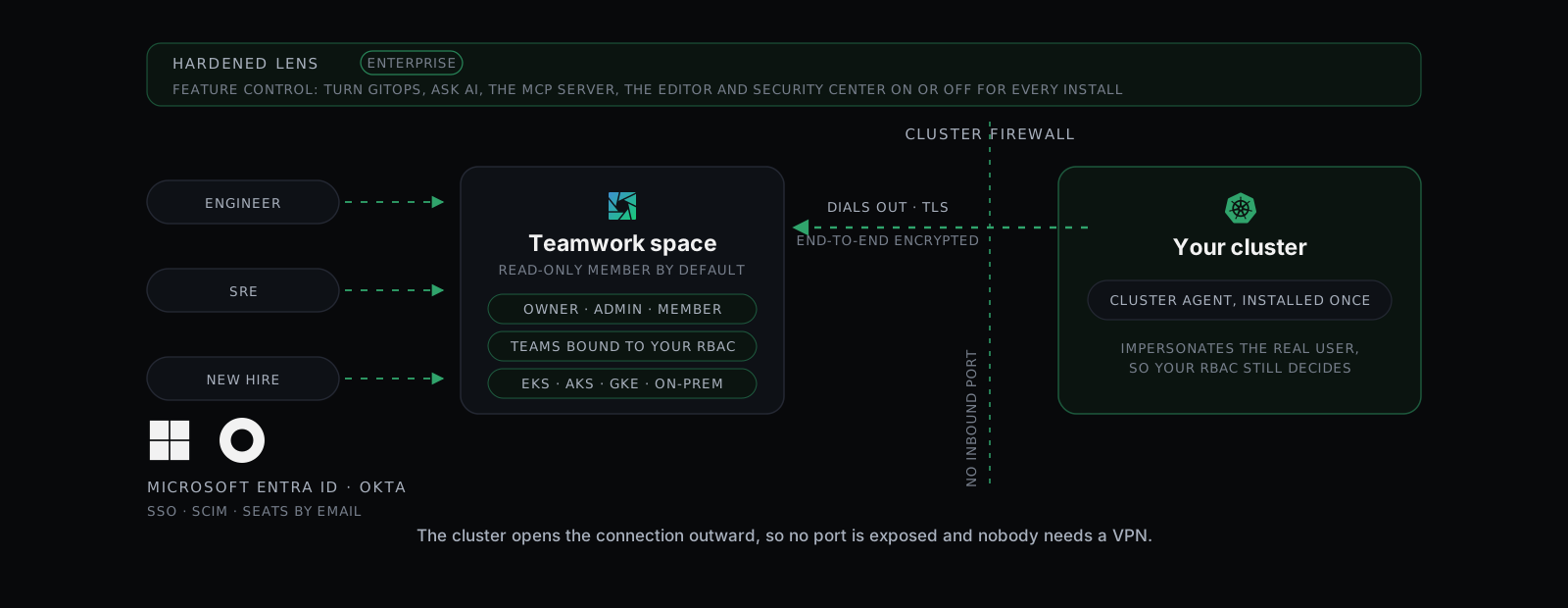
Security Center scans the clusters your team shares, and the same console that assigns their seats decides which features exist at all.
Shared access, unexposed cluster
The agent dials out over TLS. No inbound port, no VPN, and your own RBAC still decides.

Know what is running with a CVE
Images, Resources and Roles, scanned by the Trivy Operator. Exports to CSV.


Feature control, on Enterprise
SSO and SCIM from your IdP. Hardened Lens switches features on or off org-wide.
Vulnerability scanning across the clusters you share
Which running image carries a critical CVE
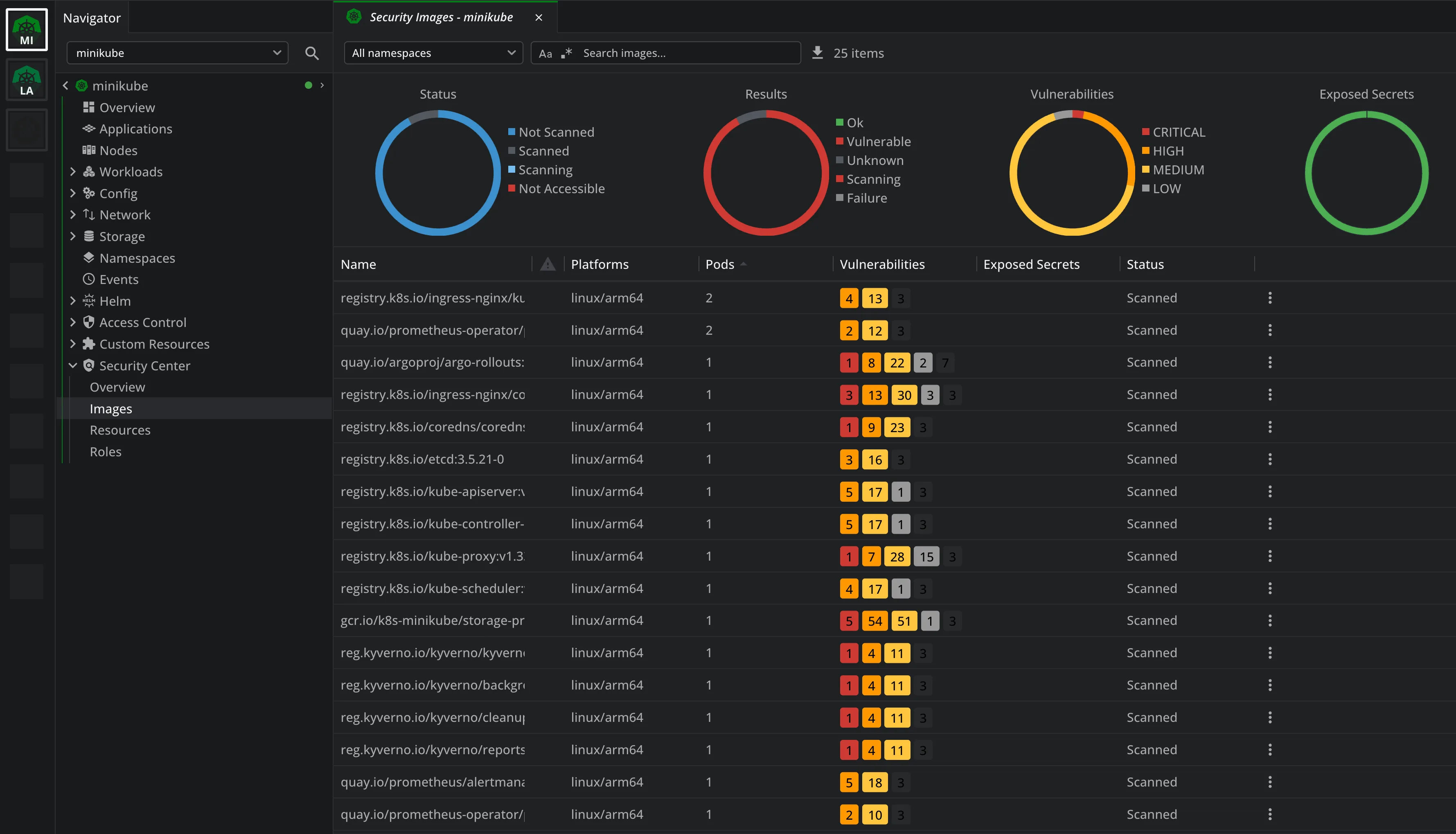
A registry scan tells you about images. Security Center tells you which ones are running right now, in which namespace, and in how many pods.
Every image the cluster runs
Platform, pods per image, severity counts and exposed secrets, scanned by the Trivy Operator inside your cluster.
Findings follow the pod
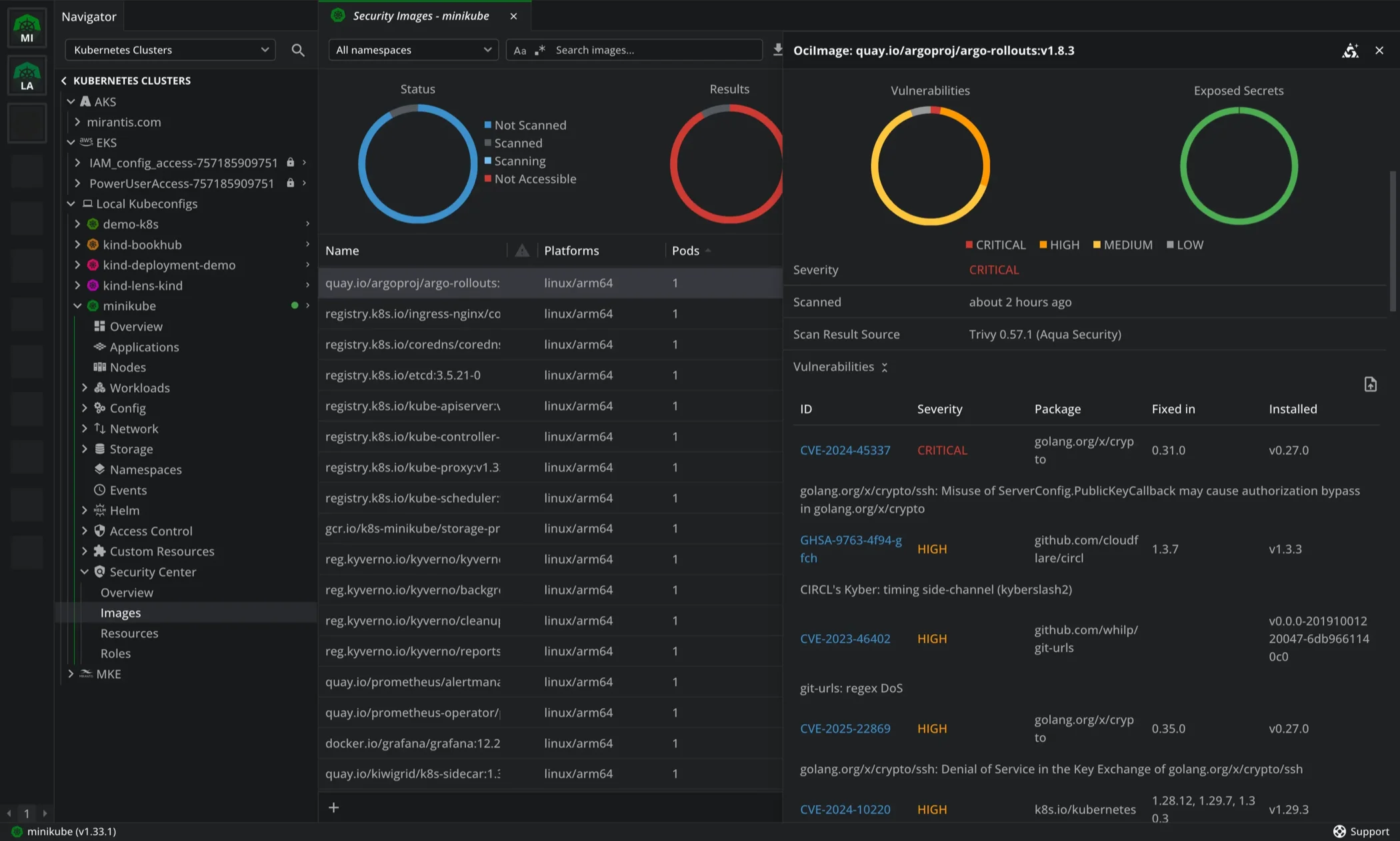
The same results appear on the pod and on the image details, so a severity count leads to the workload running it.
Misconfiguration and over-broad roles
The Resources and Roles views cover misconfigured objects and permissions that reach further than they should.
Access control
Who gets in, what they can open
Lens Business ID holds the user list and the subscription seats. Feature Management decides which Lens features exist on every install in your organization.
Add, promote, revoke
Invite users by email as Member or Administrator, assign or un-assign a seat, and promote an admin. Automatic Seat Assignment gives new joiners a seat.
Or hand it to your IdP
With SCIM, provisioning and de-provisioning happen in your IdP console and synchronize to Lens Business ID. Manual invites are switched off.
Restrict features org-wide
Turn Lens Teamwork, Security Center, Ask AI, Live Support Chat, Air-Gapped Mode and Offline Activation on or off for every user at once.
For the administrator
Identity from your IdP, exposure and features under your control
Free. No payment details needed.
Evaluate every premium feature in the Lens 14-day trial
Every premium feature, unlocked for 14 days.


Download Lens Desktop and create your Lens ID from the app. Your 14 days start there. When the trial ends, your configuration is kept and the features lock until you upgrade.