
What's new in Lens K8S IDE 2026.11.1: Argo Rollouts, MCP, and faster startup
Yalton Ruiz7 min read
TL;DR:
- Argo Rollouts. See rollouts, analysis runs, and experiments under Argo CD, and promote, pause, or abort a rollout from its menu.
- Lens MCP server with almost 90 tools. The Lens MCP server adds the tools Ask AI uses: open resources, query metrics, manage Helm releases and port forwards, and open Cost Monitoring.
- Faster startup. Lens starts more than twice as fast, on every plan.
- Recent and favorite searches. Every resource list remembers what you searched for, in every cluster.
Lens K8S IDE 2026.11.1 lets you manage Argo Rollouts from Lens and gives your AI agent almost 90 tools through the Lens MCP server. It also starts more than twice as fast and remembers your searches.
Manage Argo Rollouts from Lens
Argo Rollouts replaces the all-at-once rolling update of a Deployment with a canary or blue-green release. The new version waits for your checks or for an analysis against your metrics before it gets all the traffic. If it fails, the rollout rolls back on its own.
A canary rollout moves the traffic to the new version in steps you plan. For example, it sends 20% of the traffic and pauses there until someone promotes it. A blue-green rollout starts the new version beside the old one, with no traffic, and switches all the traffic at once when you promote it.
In Lens, you run a rollout in three steps. Configure its strategy in the advanced editor, then follow the plan in the rollout details. Control it from the rollout toolbar, or ask your AI agent what to do next.
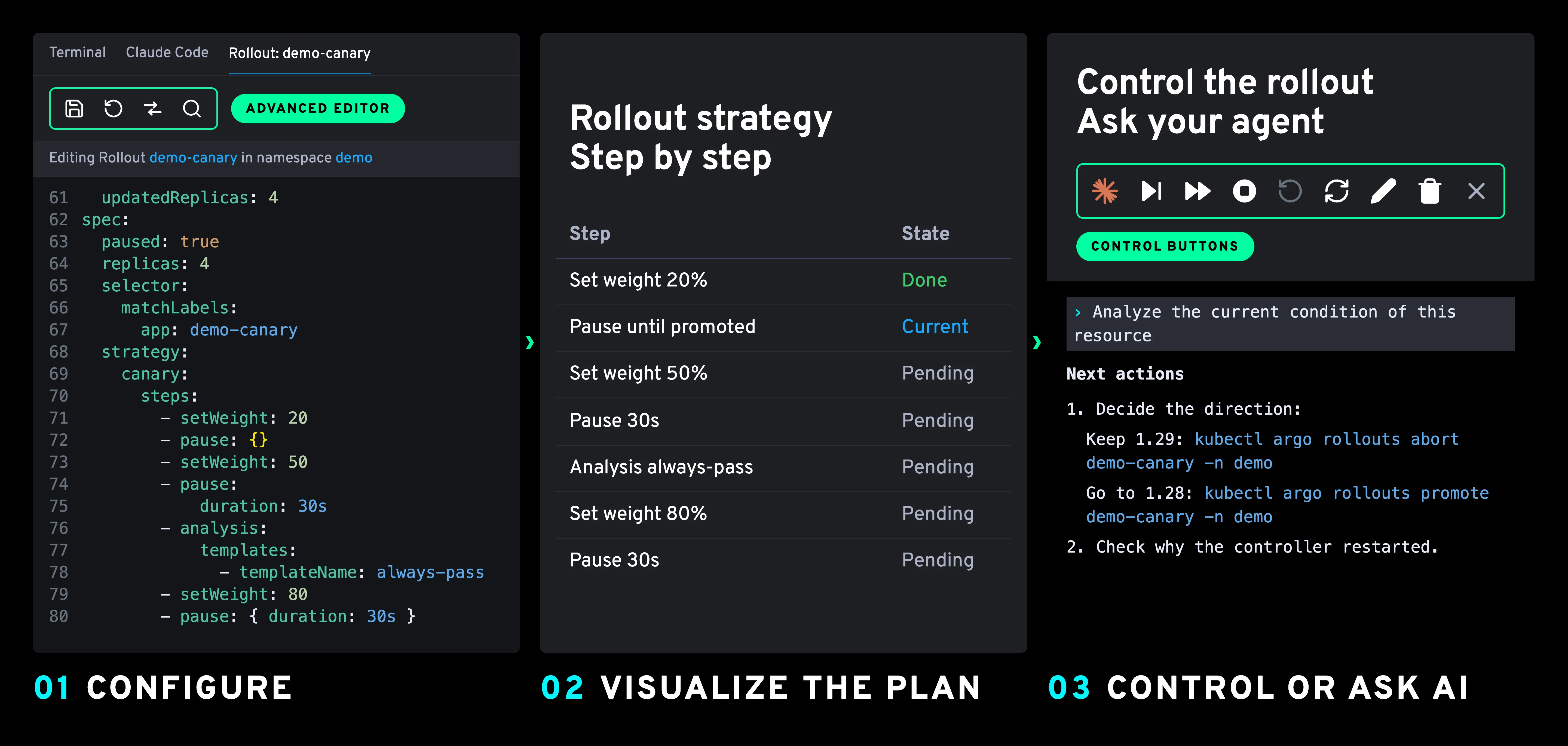
Lens K8S IDE 2026.11.1 adds a Rollouts group under Argo CD in the navigator:
- See every rollout, analysis run, and experiment of the cluster in one place.
- Open a rollout to see where it is: its current step, how much traffic the new version gets, and why it paused.
- Promote, pause, resume, or abort a rollout from its menu. Lens asks you to confirm before a full promotion, an abort, or a restart.
- Spot the rollouts waiting for you in Needs attention on the Argo CD dashboard.
To change the strategy, select Edit in the rollout menu and change spec.strategy in the advanced editor. For a canary, the rollout details show the new steps, and the menu moves the rollout along them.
To try it on a cluster of your own, follow Run a canary rollout with Argo Rollouts: it creates a rollout, pauses it at 20% of the traffic, and promotes it from Lens.
Argo Rollouts comes with the Argo CD integration, a Premium Feature of the Plus, Pro, and Enterprise plans.
Lens MCP server improvements
Until now, the Lens MCP server let Claude Code, Cursor, and other MCP clients read your clusters: read-only kubectl commands and Prometheus queries. An AI tool that only reads can tell you what is wrong. It could not open the resource for you, check its metrics in Lens, or forward a port to test the fix.
The Lens MCP server sits between your AI agent and your clusters. It runs inside Lens K8S IDE on your machine and uses the connections Lens already has. With this one MCP server, your agent can reach every cluster you have in Lens, whether it runs in the public cloud, in your data center, or on your laptop.
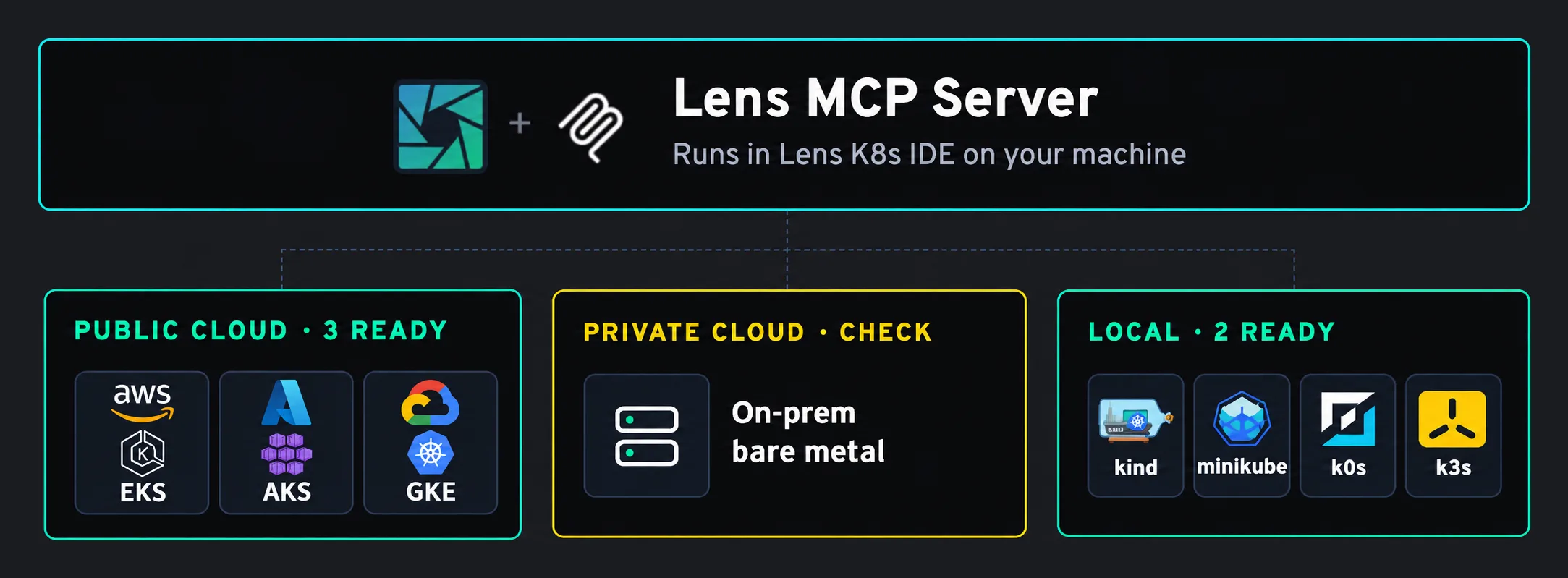
The Lens MCP server now has almost 90 tools. Your agent can open resources, logs, terminals, and Helm releases in Lens, manage port forwards, query metrics and costs, open the Cost Monitoring dashboard, check your images for vulnerabilities, and install extensions.
See every tool in Lens tools.
When your agent wants to change a resource or a Helm release, Lens opens the editor or the dialog with the change filled in. Nothing changes in the cluster until you save or confirm it. A command your agent types in a Lens terminal waits for you to run it.
For example, ask Claude Code which pods use the most memory in a namespace. It reads the memory use, opens the Deployment in Lens, and opens the Cost Monitoring dashboard of the cluster.
Turn the server on with Enable Lens MCP Server in Preferences > Integrations, then follow the Lens MCP getting started guide. The Lens MCP server is a Premium Feature of the Plus, Pro, and Enterprise plans.
Start Lens more than twice as fast
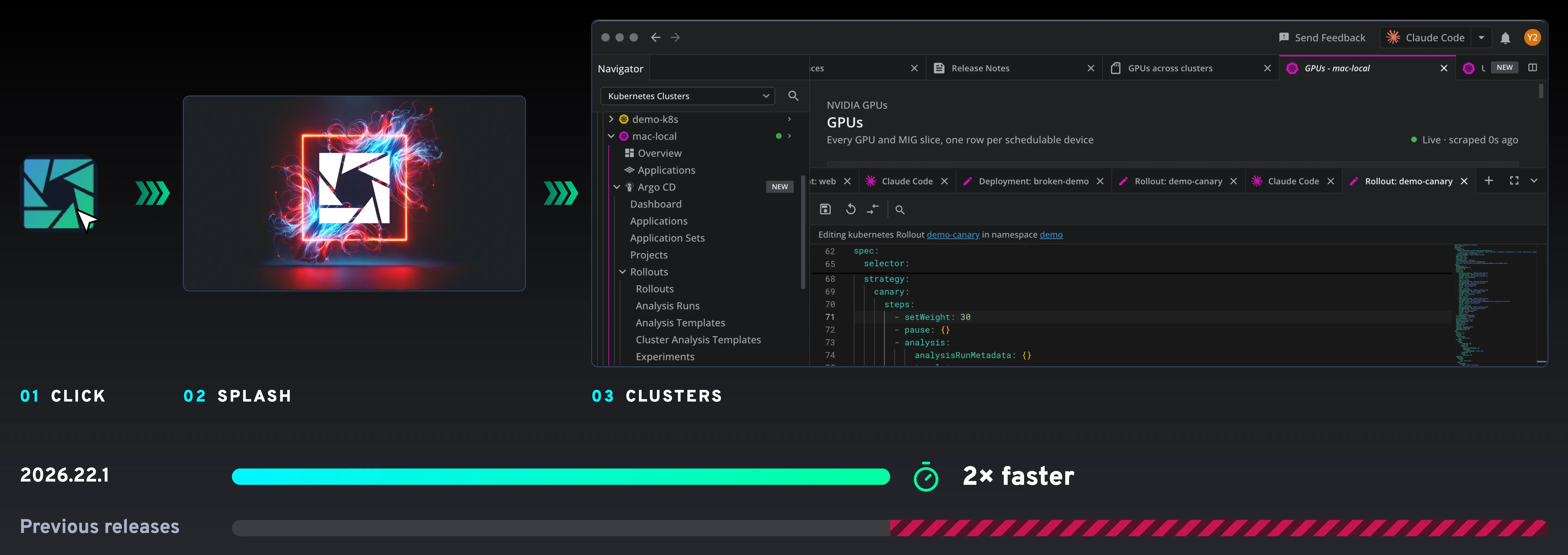
The time between opening Lens and seeing your clusters is time you spend waiting. Lens K8S IDE 2026.11.1 cuts it in half: the application starts more than twice as fast as the previous release, on the same machine and with the same clusters.
There is nothing to turn on. Update Lens and the next start is the fast one. The faster startup comes with every plan, including the free one.
Run a search again without typing it
A good regular expression for the pods you watch takes time to write, and it is gone when you switch lists.
The search box of every resource list now remembers your searches:
- Click the clock beside the search box to open Recent and favorite searches.
- Star a search to keep it among your favorites.
- Pick a search to run it again. Lens restores Use regular expression and Case-sensitive words matching if the search used them.
- Find the same searches in every list of every cluster, even after you restart Lens. Lens suggests them as you type.
Lens keeps 10 recent and 10 favorite searches by default. Change both limits in Preferences under Tables, up to 50 each. Recent and favorite searches are free for everyone.
Get the update
Lens K8S IDE 2026.11.1 is available now: download it, or update from inside the app. Argo Rollouts and the Lens MCP server need a Plus, Pro, or Enterprise plan. See lenshq.io/pricing for plan details. The full list of fixes is in the release notes.