
Lens Release
What's new in Lens K8S IDE 2026.8: 20× performance boost and Argo CD
Yalton Ruiz2 min read
TL;DR:
- Lens K8S IDE is up to 20× faster on large clusters. Switching tabs, even on a cluster with thousands of pods, is now instant.
- Argo CD GitOps support lands in the cluster navigator: dashboards, list and detail views, one-click Sync and Refresh.
- Ask AI now supports Argo CD: summarize any Application, Application Set, or Project, in plain language, with your preferred AI agent.
20× performance boost
Lens Kubernetes IDE is up to 20× faster on large clusters. Switching tabs, even on a cluster with thousands of pods, is now instant. Lens K8S IDE also trimmed logging overhead, redundant validation, and unnecessary object binding on every list and watch. On a large cluster interaction, this cut background processing time from over 7 seconds to about a quarter of a second.
Argo CD now in Lens
Argo CD is now in the navigator, next to the resources it deploys. Push a commit, and Argo CD picks it up on its own. Watch an Application go from Degraded to Healthy without leaving Lens K8S IDE.
See Argo CD in Lens in action:
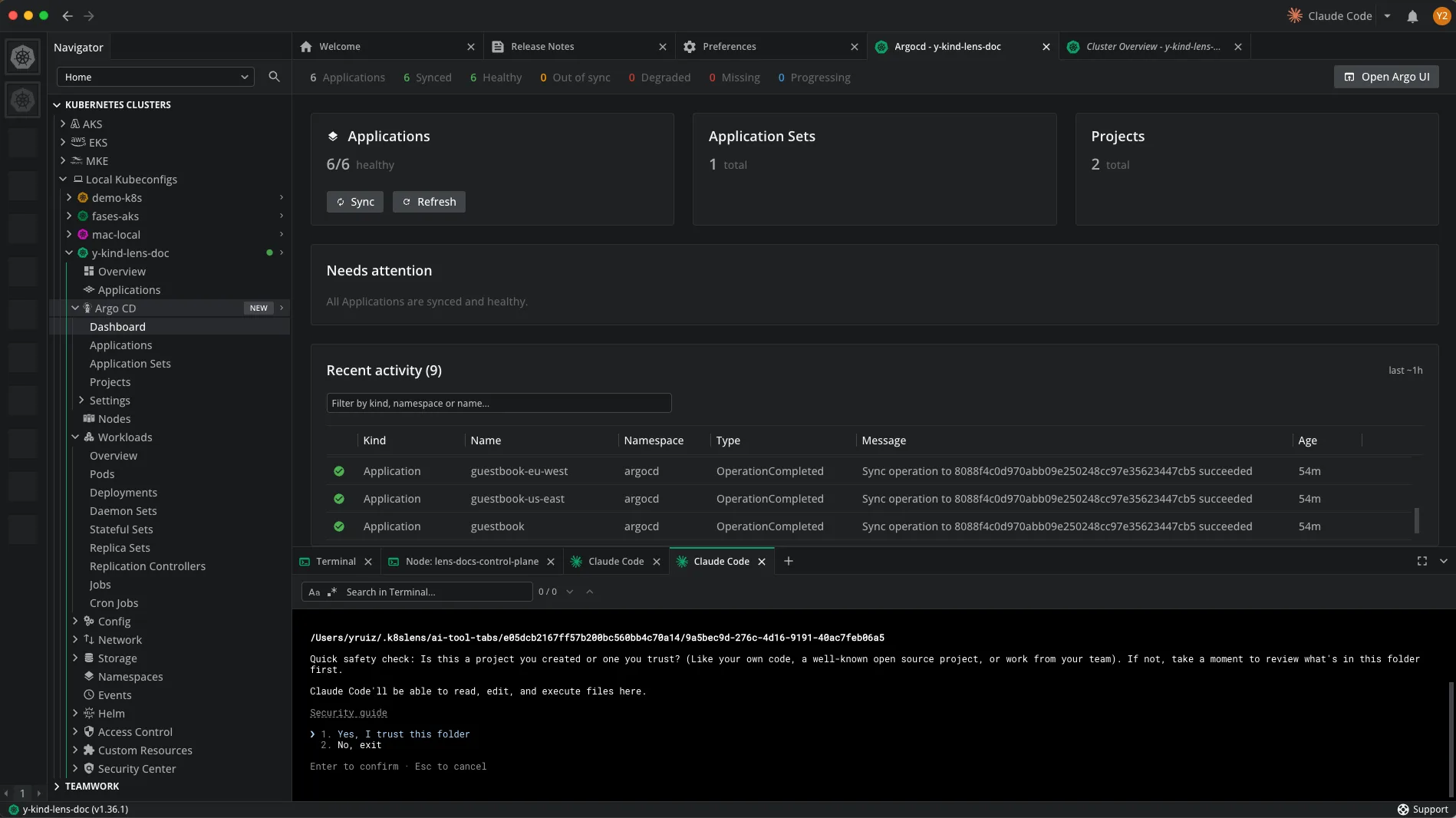
An Argo CD entry appears in the navigator, detected automatically from the cluster. No setup, no URL to paste, no second tool to open.
From the dashboard, you see the status of every Application, and you can Sync, Refresh, and manage them directly in the Lens UI.
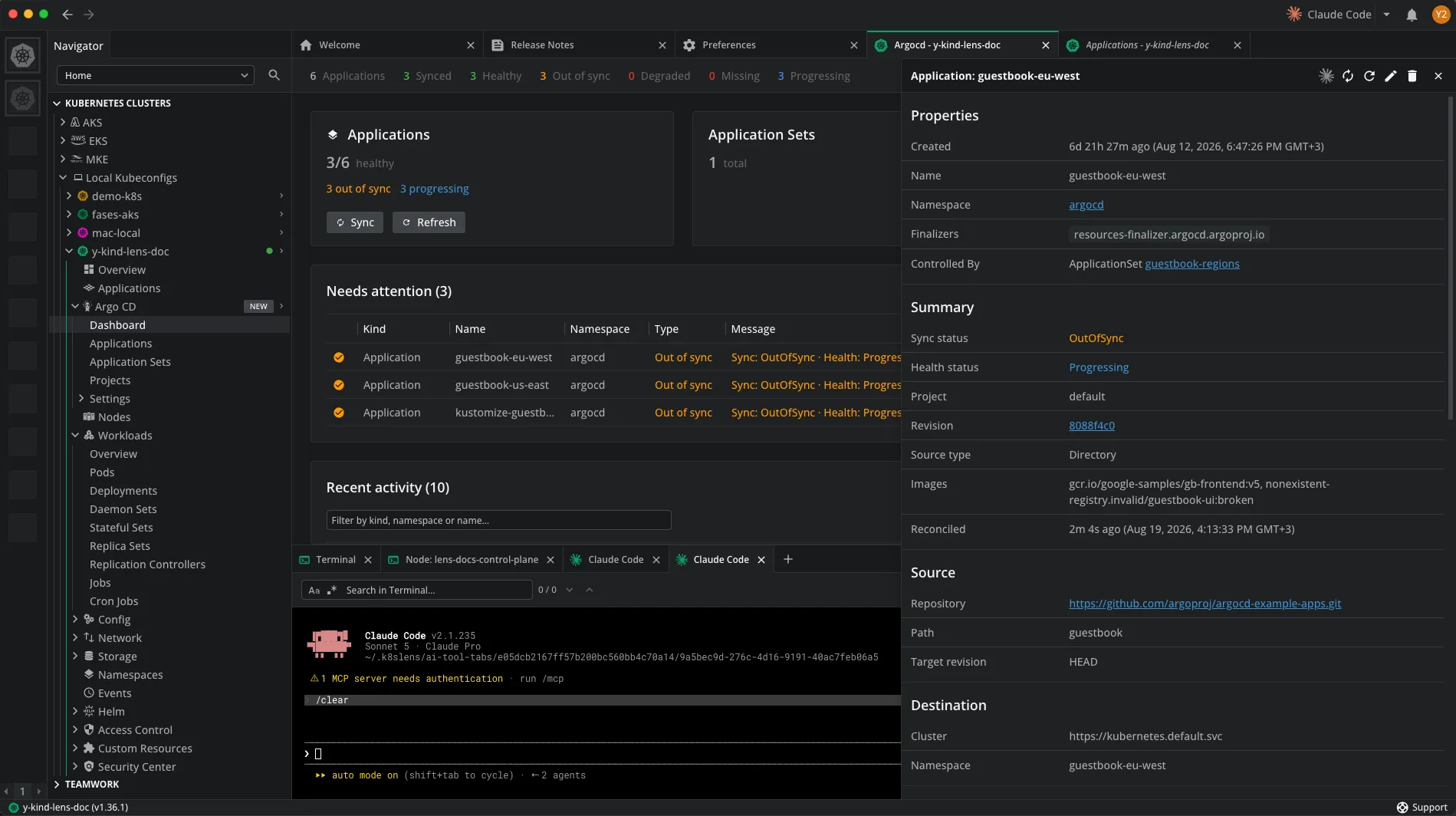
An Application with a problem appears in the Needs attention panel. Select it to visualize its properties, including the sync and health status of the failing resource.
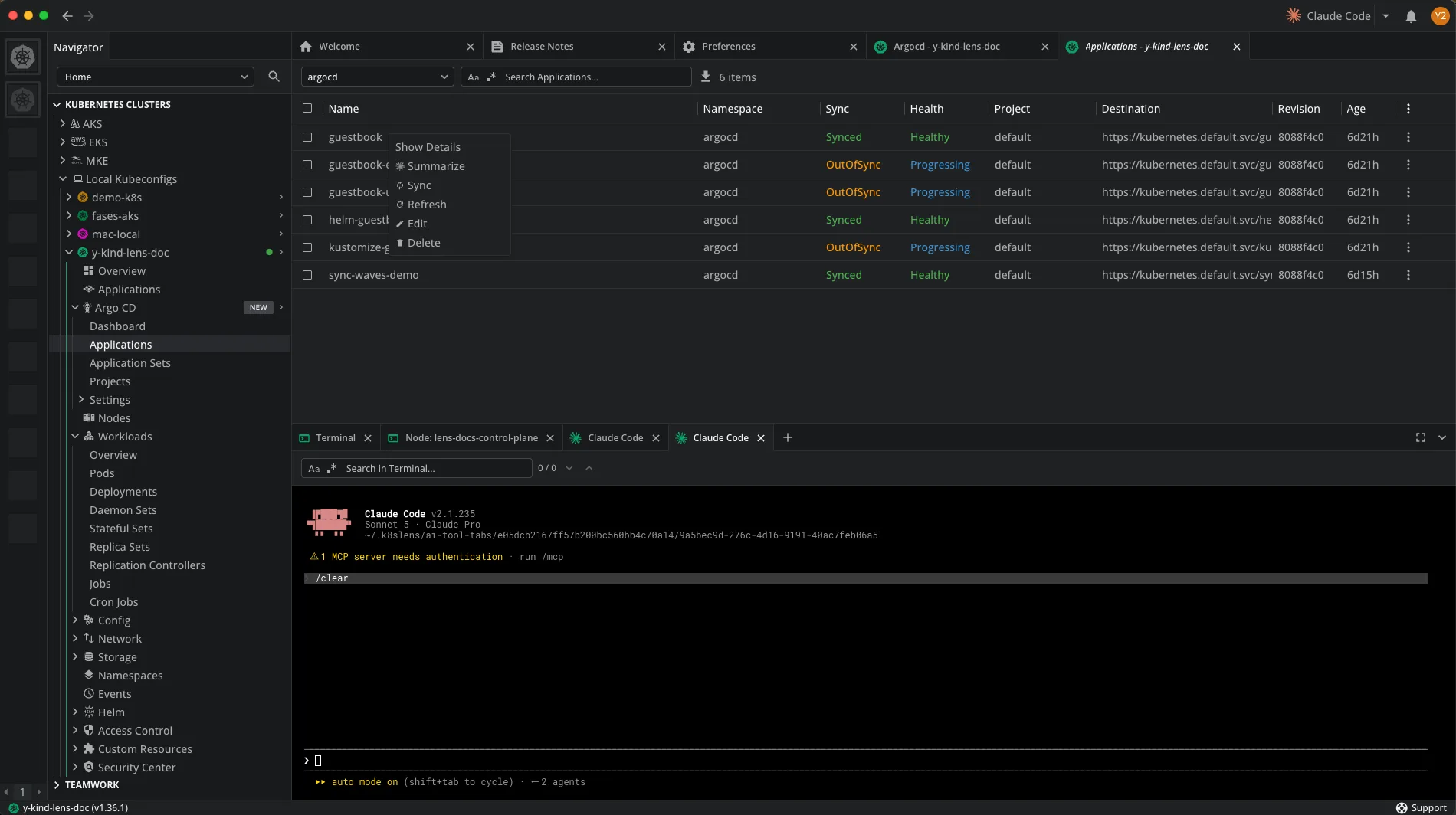
If the cause of the failure is not clear, right-click the resource and use Ask AI.
Ask AI uses that same cluster context. Right-click an Application, Application Set, or Project and select Summarize. Lens K8S IDE opens your preferred AI agent (Claude Code, Gemini CLI, Codex CLI, or GitHub Copilot CLI) in a terminal, already focused on that resource from its first prompt.
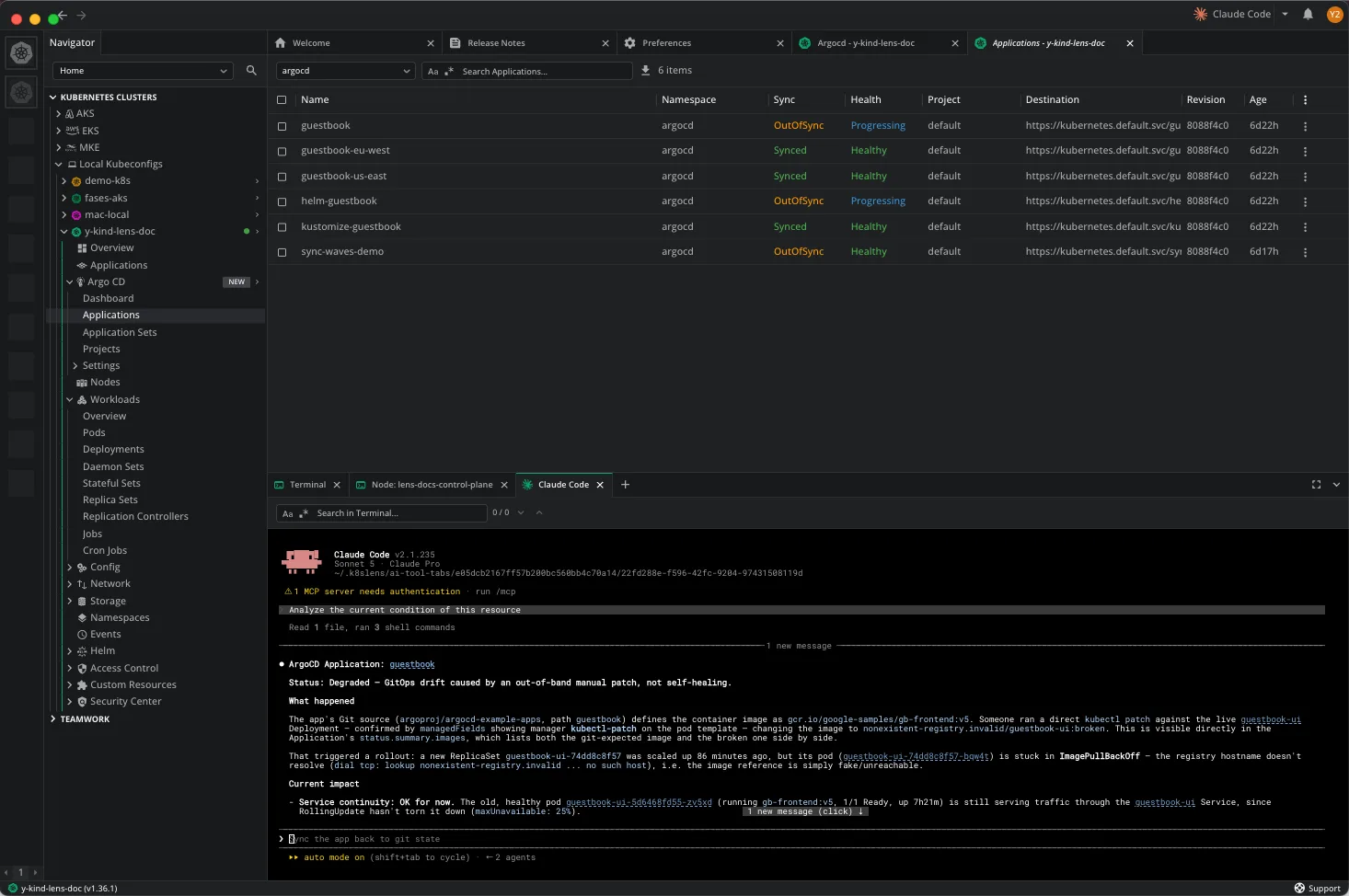
Response from Ask AI using Claude Code:
Get the update
Download it from lenshq.io, or update from inside the app.
Argo CD support is a Premium Feature, included with Plus, Pro, and Enterprise plans, and available on a Personal subscription with an active 14-day trial.
For details on the plans, see lenshq.io/pricing.