
TL;DR:
- Device Resources lands in the navigator: Kubernetes DRA support with claim, template, device class, and slice visibility, per-pod and per-node.
- Advanced editor adds a side-by-side diff view and one-click Revert to original when editing a live resource.
- Ask AI now has a tool selector in the top bar: switch between Claude Code, GitHub Copilot CLI, Gemini CLI, Codex CLI, OpenCode, or a custom command, right when you need to.
Kubernetes Dynamic Resource Allocation (DRA) reaches into the navigator this release as Device Resources, a diff-mode editor makes live edits reversible, and the Ask AI tool selector lets you pick your agent on the fly.
Kubernetes Dynamic Resource Allocation reached general availability in Kubernetes 1.34, according to the official Kubernetes blog.
Device Resources for Kubernetes DRA
DRA is a new way for a workload to request specialized hardware, a GPU, a TPU, an FPGA, a high-speed NIC, by its properties (memory size, driver, topology) instead of just asking for "1 GPU" and hoping for the best. GPU-heavy AI and inference workloads are the most common reason teams need this today, but DRA isn't limited to GPUs: it covers any specialized device a cluster hands out through a DRA driver, including Google's own TPU driver.
In short: hardware gets listed, sorted into classes, and matched to whatever asks for it.
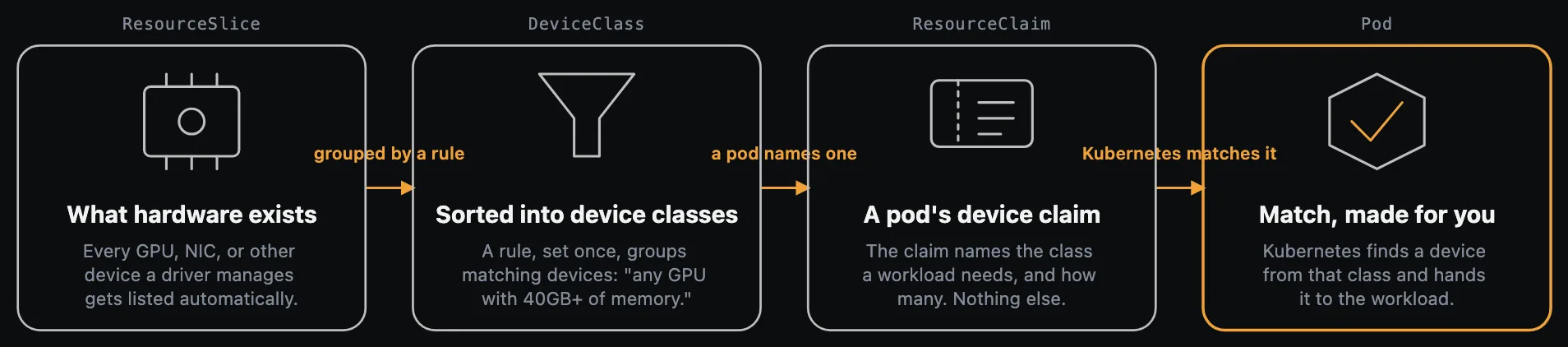
Lens K8S IDE 2026.9 brings a Device Resources section into the navigator, built on Kubernetes' ResourceClaim and ResourceSlice APIs:
- Browse Resource Claims, Resource Claim Templates, Device Classes, and Resource Slices, with detail panels for each.
- Open a pod and see exactly which claims, and which devices, it's holding.
- Open a node and see its full device inventory from the Resource Slices it publishes.
- Get warned the moment a device reports itself unhealthy, instead of finding out from a failed workload.
- Ask AI about any DRA resource, instead of writing
kubectlone-liners to cross-reference claims and slices. - Create Resource Claims, Templates, and Device Classes from built-in templates.
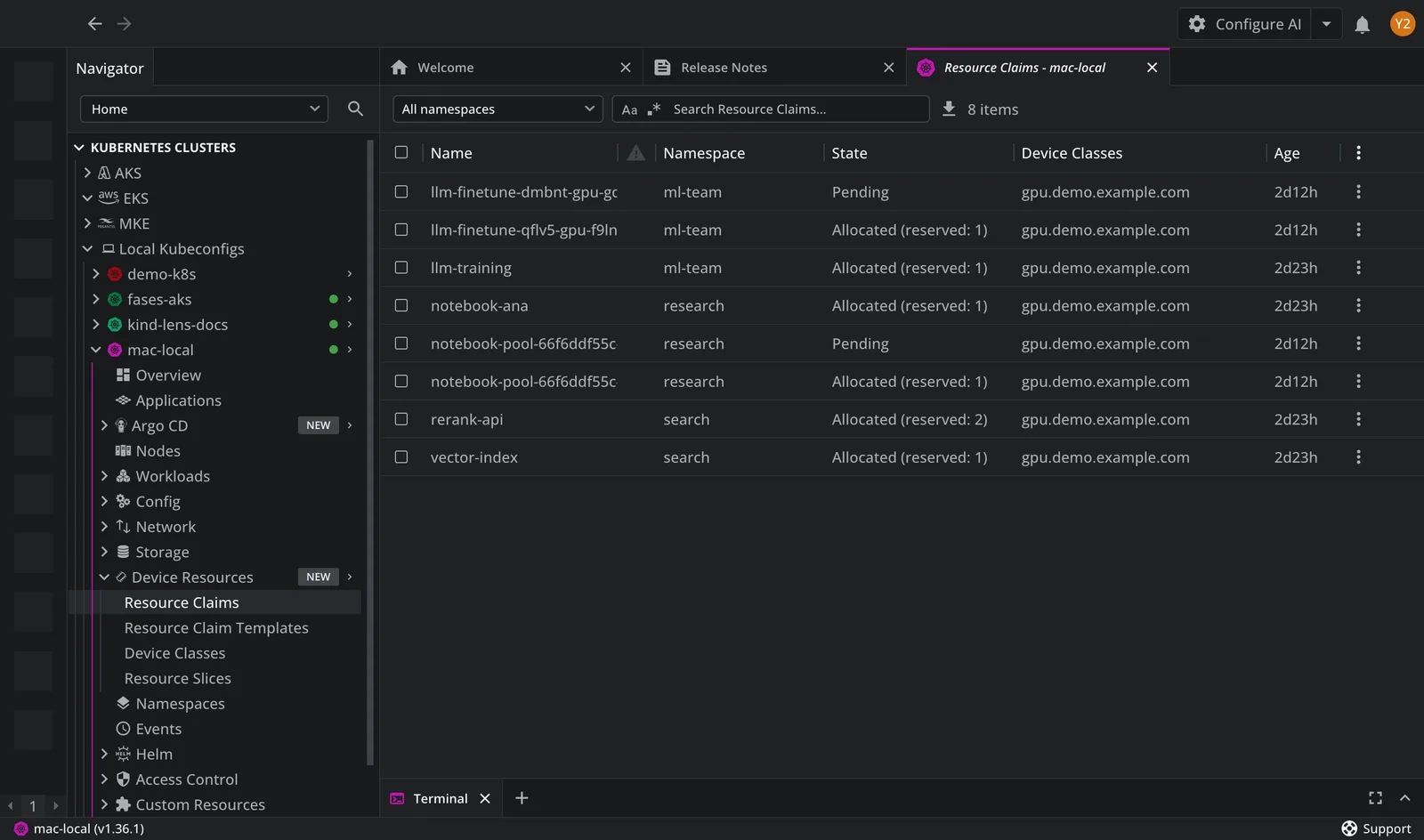
Device Resources is available now to everyone running Lens K8S IDE, no premium tier required.
A safer way to edit: the advanced editor
Editing a live Kubernetes resource means changing cluster state directly, with no undo. The advanced editor gives that edit a safety net: switch to diff mode and see exactly what you've changed since you opened the tab, original on one side, your edits on the other, changed lines highlighted.
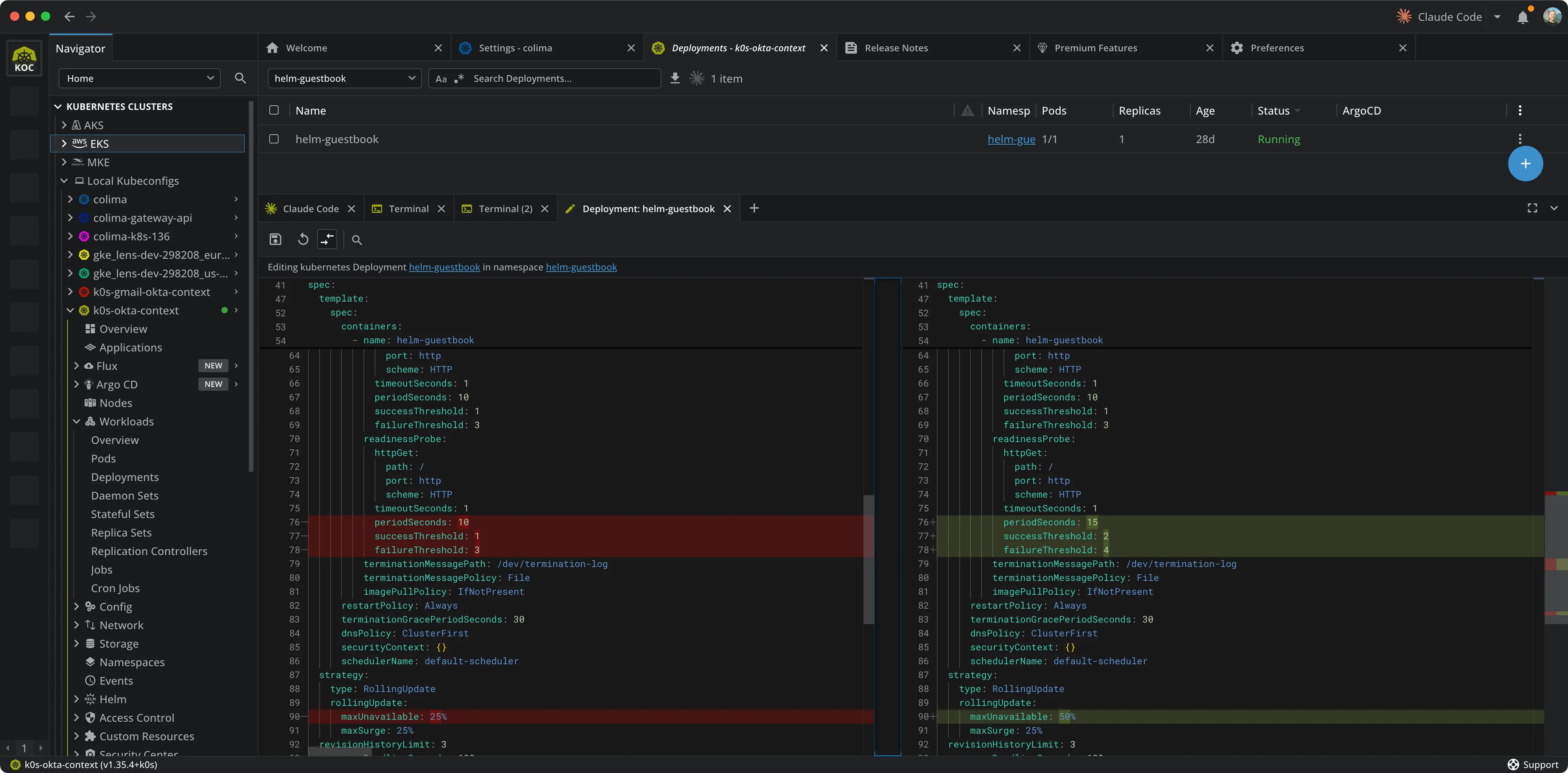
If something looks wrong, Revert to original puts it back in one click. It's filed under Developer Productivity in Premium Features.
Switch AI tools from the top bar, on the fly
If you use an AI coding assistant alongside your cluster work, you probably reach for a different one depending on the task. Ask AI's tool button now opens a selector, so you can pick whichever agent fits the moment instead of being locked into whatever you set in preferences.
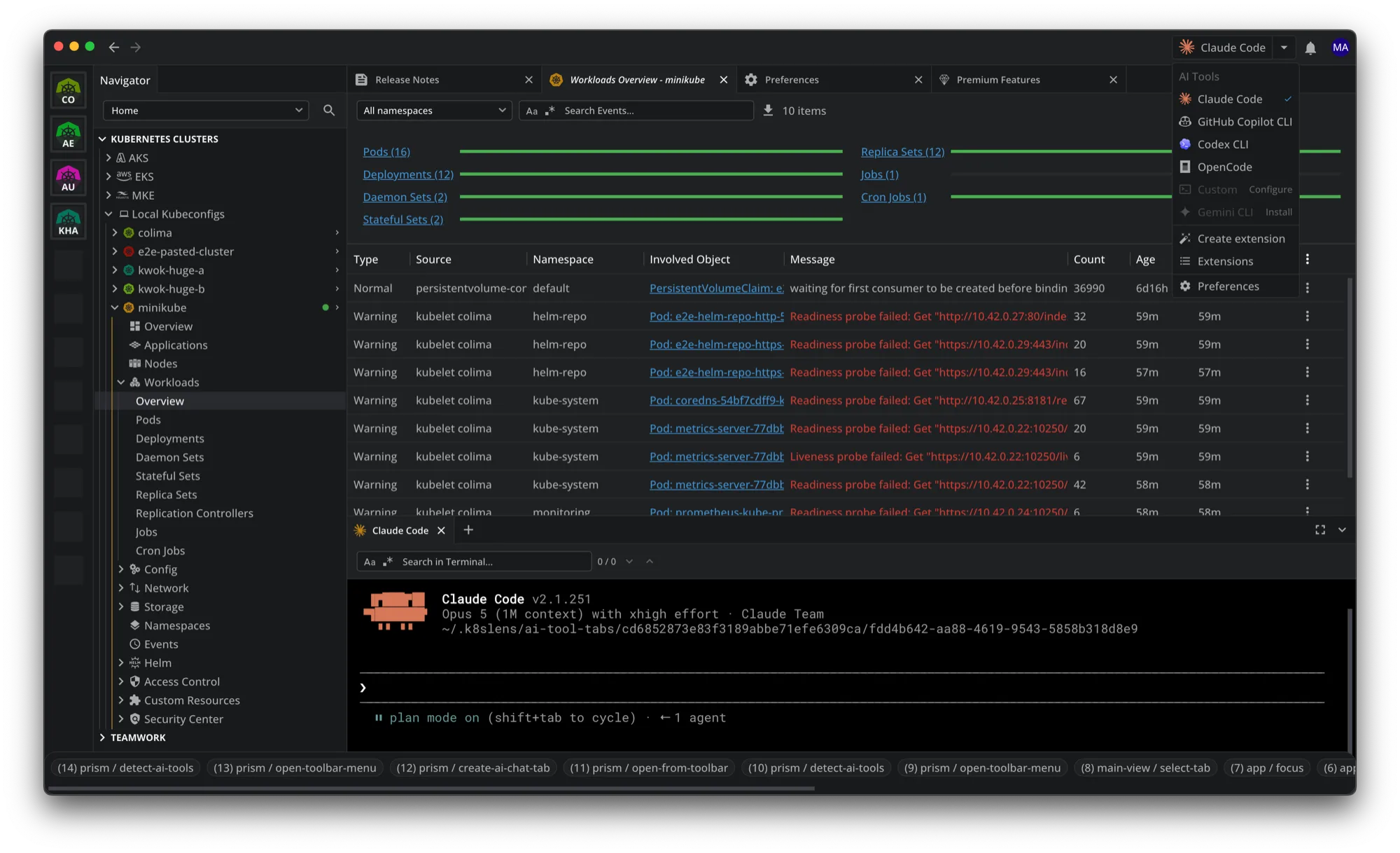
Pick Claude Code, GitHub Copilot CLI, Gemini CLI, Codex CLI, OpenCode, or your own custom command directly from the top bar. Each option shows whether it's on your PATH, with an install link or a Configure button where one is needed.
Also in This Release
- Cluster connection for non-admin users no longer stalls at "Refreshing cluster accessibility…" for minutes or hours; the check now completes in seconds.
- Argo CD resources (Applications, ApplicationSets, AppProjects) now show up in Custom Resources even when the Argo CD namespace isn't part of the tab's namespace selection.
- Custom resource lists no longer occasionally stay empty until you reopen the view.
- Argo CD and Flux dashboards no longer wrongly claim limited namespace visibility on clusters with full access.
Get the update
Lens K8S IDE 2026.9 is available now, or update from inside the app. The advanced editor and the Ask AI tool selector are Premium Features; see lenshq.io/pricing for plan details.